1
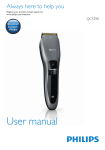
TOUCH CONTROL CLIPPER
QUICK START GUIDE
Select Tri Speed Levels
1. Set lock switch to
2. Select tri speed level by using
High
Tri Speed Levels
Mid
Low
Check Battery Level
1. Press
at any time
2. Battery level remaining displays
STEP 3
Cutting Hair
Ready to Begin Cutting
1. When ready to cut hair, slide the lock switch from to
2.
turns on the cutting motor and prevents comb movement during use
Helpful Hints
1. Charge for 12 to 18 hours before first use
2. Put 1 to 2 drops of oil on blade before first use, and every 1 to 2 uses
thereafter
3. To switch between “mm” and “barber shop” # mode, press and hold
power button for 2 seconds until screen blinks
4. To turn off clipper let the product sit for 10 seconds with motor off
3
Troubleshooting
1. Clipper will not turn on
a. Slide lock switch from
to
b. Ensure pull tab is removed
c. Charge for 12 to 18 hours
2. Display shows wrong length
a. 3-23mm and 22-42mm combs:
Ensure switch matches letter printed on comb.
b. 1.5mm comb:
Note display not designed to update 1.5mm comb
3. Comb does not move when pressing up/down
a. Slide lock switch to
b. If comb adjustment still does not work, follow system reset procedure found in user manual
4. Up/Down, turbo, or battery buttons activate without touching them
a. Slide lock switch from
to
b. Then slide lock switch back to
c. If buttons still activate by themselves, follow system reset procedure found in user manual
Save these Instructions
© 2012 Spectrum Brands, Inc.
11/12 2012_11-1-_28
T22-0000940
4