1
Puregas, LLC
PGComm User Manual
1. Overview................................................................................................................................................ 3
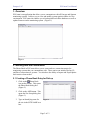
2. Working with the Phone Book ............................................................................................................... 3
2.1 Creating a Phone Book Entry for Dial-up....................................................................................... 3
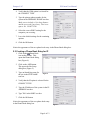
2.2 Creating a Phone Book Entry for IP ............................................................................................... 4
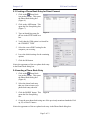
2.3 Creating a Phone Book Entry for Direct Connect........................................................................... 5
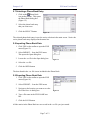
2.4 Inserting a Phone Book Entry ......................................................................................................... 5
2.5 Deleting a Phone Book Entry.......................................................................................................... 6
2.6 Editing a Phone Book Entry............................................................................................................ 6
2.7 Selecting a Phone Book Entry ........................................................................................................ 7
2.8 Importing Phone Book Data ........................................................................................................... 7
2.9 Exporting Phone Book Data ........................................................................................................... 7
3. Connecting to the Monitoring System.................................................................................................... 8
3.1 Connecting using Dial-up and Direct Connections......................................................................... 8
3.2 Connecting using IP Connections ................................................................................................... 8
4. Disconnecting from the Monitoring System........................................................................................... 9
5. Working with Databases and Firmware .............................................................................................. 10
5.1 Saving a Database from the Monitoring System........................................................................... 10
5.2 Loading a Database on the Monitoring System ............................................................................ 11
5.3 Installing Firmware on the Monitoring System ............................................................................ 12
6. Working with Session Log Files........................................................................................................... 13
6.1 Creating a Session Log File .......................................................................................................... 13
6.2 Accessing a Session Log File........................................................................................................ 13
Page 2 of 13