1
Contents
INTRODUCTION AND HARDWARE SETUP ................................................................. 3
1.1 Introduction .............................................................................................................. 3
1.2 Hardware Setup( for W-8X3X Only) ..................................................................... 4
1.3 Hardware Setup ( for W-8X4X only, Dual LAN version WinCon) ..................... 7
1.4 Specifications ............................................................................................................. 9
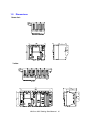
1.5 Dimensions ............................................................................................................... 10
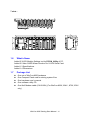
1.6 What’s News ............................................................................................................ 11
1.7 Package List ............................................................................................................ 11
2. WINCON-8000 SYSTEM SETTINGS .......................................................................... 12
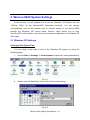
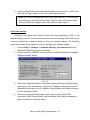
2.1 Windows CE Settings ................................................................................................. 12
2.2 WinCon Utility............................................................................................................ 16
2.3i-87K Module Settings ................................................................................................. 24
3. ARCHITECTURE UNDER WINCE.NET ................................................................... 29
4.1 INSTALLATION WINCON-8000 SDK FOR EVC ON PC ...................................... 31
4.2 INSTALLATION WINCON-8000 SDK FOR VS.NET ON PC ............................. 32
5. START THE FIRST APPLICATION PROGRAM ..................................................... 33
5.1 Applications in eMbedded Visual C++ (MFC) .......................................................... 33
5.1.1 Create a Forms-Based Application...................................................................... 33
5.1.2 Specify Locations for Demo Files ....................................................................... 37
5.1.3 Configure Compiler Options ............................................................................... 39
5.1.4 Design an Application Program .......................................................................... 41
5.1.5 Build the Application Program............................................................................ 44
5.1.6 Execute the Application Program on the Wincon-8000 Platform ....................... 46
5.2 Applications in Visual Studio VB .NET and C#.NET ............................................. 48
5.2.1 Create a New SDE Project .................................................................................. 50
5.2.2 Add the Project Reference to an Application ...................................................... 54
5.2.3 Design an Application Program .......................................................................... 56
5.2.4 Building an Application Program ........................................................................ 60
5.2.5 Execute the Application Program on the Wincon-8000 Platform ....................... 61
WinCon-8000 Getting Start Manual-- 2