1
User’s Manual of Network Camera/Network Video Server
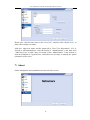
Exit: the button of “Exit” is used to close the client system.
Pan/tilt head control
The pan/tilt control could be realized only after connecting the pan/tilt decoder (and
protocol, baud rate and effective address shall be set)
Azimuth control:
By clicking the button of azimuth arrow, it is able to control the eight azimuths of
the pan/tilt.
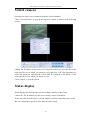
Control of focal length:
Controlling the multiple of camera lens could be realized via buttons of zoom-out or
zoom- in (it is necessary for the video server to be connected with camera
incorporated with an auto varifocal lens)
Controlling the focal length of camera lens could be realized by near or far buttons
(it is necessary for the video server to be connected with camera incorporated with
an auto varifocal lens)
Adjustment for video/audio effect
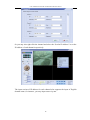
(Adjust directly by clicking the color box)
Lightness:
For adjusting the lightness of video image
Hue:
For adjusting the darkness of video image’s color
Contrast ratio:
For adjusting the contrast ratio of video image
18