1
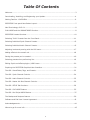
Table Of Contents
Welcome.......................................................................................................................3
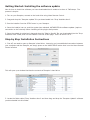
Downloading, Installing, and Registering your Update.........................................................4
Getting Familiar - OVERVIEW...........................................................................................6
RECEPTOR Front panel New Button Layout.........................................................................7
New Terminology of V2.0.1..............,...............................................................................8
PLAY MODE and the SOUNDFINDER function......................................................................8
RECEPTOR Presets Overview..........................................................................................10
Selecting "PLAY" Presets from the Front Panel..................................................................11
Selecting Individual Synth Channel Presets......................................................................13
Selecting Individual Audio Channel Presets......................................................................15
Adjusting levels and panning with the MIX menu..............................................................17
Adding effects to the overall mix....................................................................................18
Saving the presets you've created..................................................................................19
Selecting presets when performing live...........................................................................19
Editing Synth and effects plugins / MIDI Learn.................................................................20
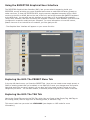
Exploring the RECEPTOR Graphical User Interface.............................................................21
The GUI: SoundFinder, Tags, and Presets........................................................................22
The GUI: Synth Channel Controls...................................................................................24
The GUI: Audio Channel Controls...................................................................................25
The GUI: Master Mix Bus Channel Controls......................................................................26
The GUI: SETUP Tab functions.......................................................................................29
The GUI: LIVE MODE feature.........................................................................................35
The GUI: Mini-Strips MODE feature.................................................................................37
The Backup and Restpore feature...................................................................................39
Software and End User License Agreement......................................................................43
Acknowledgements.......................................................................................................44
Where to go for more info..............................................................................................45
2