1
Table of Contents
Welcome G-RAID Studio
Table of Contents
Safety & General Use
Safety Precautions............................................................4
Backup Your Data..............................................................5
About Your G-RAID Studio
Introduction........................................................................7
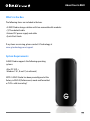
What’s in the Box ..............................................................8
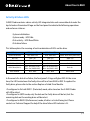
The following items are included in the box:.........8
System Requirements.....................................................8
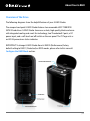
Overview of the Drive ....................................................9
Activity & Failure LEDs.................................................. 10
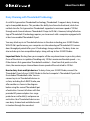
Daisy Chaining with Thunderbolt Technology.... 11
Using Your Drive on Mac
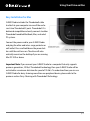
Easy Installation for Mac.............................................. 13
Use with Time Machine................................................ 14
Disconnect the Drive ................................................... 16
Maintenance for Your Drive
Initialize Drive for Mac ................................................ 31
Restore the Drive Icon.................................................. 34
Reformat with Partitions............................................. 36
Replace a Failed Drive Module.................................. 40
Helpful Tips...................................................................... 41
Using Your Drive on Windows
Windows Use................................................................... 43
Cross Platform Use......................................................... 44
Support & Warranty
Technical Support.......................................................... 48
Limited Warranty............................................................ 49
Copyright.......................................................................... 51
Using RAID Modes
Supported RAID Modes............................................... 18
G-Technology Assistant Utility.................................. 19
Recommended Installation........................................ 19
G-Technology Assistant Menu................................... 20
The RAID Configuration Utility.................................. 21
Configure the RAID Mode for Mac........................... 22
RAID 1 Degraded Mode and Rebuild for Mac..... 24
RAID Configuration Utility for Windows................ 26
Configure the RAID Mode for Windows................. 26
RAID 1 Rebuild for Windows...................................... 29
p.2