1
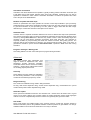
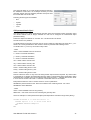
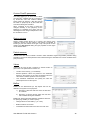
Border Conditions
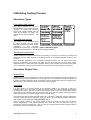
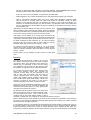
Border conditions define the behavior of the
solution at the edges of the calculation mesh.
Border conditions are defined for each mesh
block separately. The default border condition
is a solid wall in all directions. Other options
are symmetry plane at border, specified gas
pressure (for example an outlet to air) or
specified metal pressure (typically used for
modeling a metal input with hydrostatic
pressure).
Pressure, temperature and metal velocity can
be specified for each border separately. Also
heat transfer coefficient from border to
obstacles, metal and gas can be specified.
Border condition cannot be specified for multi-mesh blocks at the edge where blocks are touching. In
these borders the solver transfer data from mesh to another.
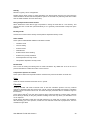
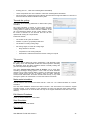
Metal Inputs
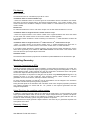
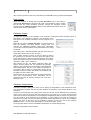
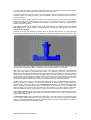
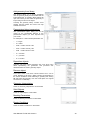
In filling simulation the metal inputs define the locations where
metal is poured in to the casting system. Metal input is a two
dimensional circular profile (think about an end of pipe) through
which metal will appear to the system.
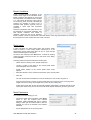
To insert a new metal input click New button. To delete an existing
metal input select it from the list box at to left corner of the dialog
and click Delete.
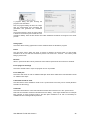
Following parameters must be defined for metal inputs:
–
Name: Used for referring to this specific metal input
–
Location: Location of the center of the circular profile where
metal will appear in the simulation
–
Profile radius: Radius of the circular profile where metal
appears
–
Metal flow direction vector: Defines the orientation of the circular profile.
–
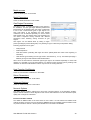
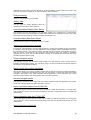
Flow rate
The rate at which the metal will flow in from the metal input. This can also be given as
Incoming metal volume / second, Incoming metal volume as a function of time, Incoming metal
weight / second, Incoming metal weight as a function off time or filling time.
If filling time is given then FLOW-3D® Cast will calculate automatically a constant flow rate for the
source that metal coming in from this source fills all the objects defined as gas in the given time.
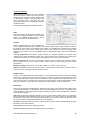
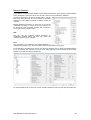
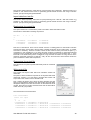
Metal Parameters
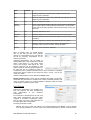
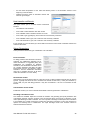
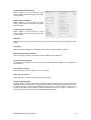
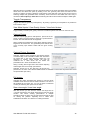
From metal parameters dialog you can:
–
Choose the metal used in simulation. Click Select
button to pick the material from material
database. Clicking Custom will open a material
dialog to which you can material data in case the
material you want is not included in the material
database.
–
Set the temperature for the incoming metal
User Manual: FLOW-3D® Cast 3.2
21