1
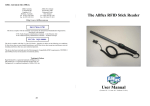
User Manual Gallagher SmartReader BR Series USB adapter. Recommended if scanning animals (cattle and deer) on the move. If required, multiple SmartReaders can operate in close proximity, so long as they are setup to ensure all Electronic ID tags are read correctly. Electronic ID tags The Gallagher SmartReader enables you to read both HDX (Half Duplex) and FDX‐ B (Full Duplex‐B) Electronic ID tags. HDX and FDX‐B Electronic ID tags operate differently and therefore have different applications. Storage of SmartReader when not in use For optimal battery life, Gallagher recommends that you store the SmartReader in a cool, dry area (15 to 25 ° C) out of direct sunlight. Charge the battery completely before storage, as the battery may lose capacity if left empty for a period of time. Configurator The Configurator is a software program provided with the SmartReader BR Series. Use it to alter settings and to diagnose performance problems in the installed SmartReader. The Configurator is for advanced users and should be used with care as altering settings affects the operation of the SmartReader. The Configurator software is automatically installed with the MyScale Pro software. MyScale Pro The MyScale Pro software enables you to transfer Electronic ID tag numbers stored in the SmartReader memory from the SmartReader to a computer. Note: The SmartReader does not need to be connected to the panel for this activity. With MyScale Pro you can perform the following functions: Page 2 Transfer sessions from the SmartReader Change session file names View and edit sessions Print sessions Create long term record storage using MyScale Pro to backup information from the SmartReader