1
Poseidon MKVI User Manual
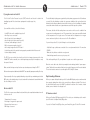
Technically, an error code of “1” means that the test passed successfully. However, this should
never be displayed, because as soon as a test passes, the routine continues on to the next
test. An error code of “0” means that the test did not complete within the alloted time. For
tests requiring action by the user (t43-t45, t50), this usually happens when the action was not
performed within the time allowed. For the other tests, error code “0” is the result of a failure
of a processor to respond in time (such as from a network failure), which in many cases can be
solved with the standard response, as described below.
Appendix 1 Page 69
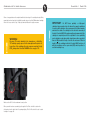
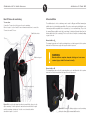
WARNING:
Do not remove the battery when the electronics are powered-up.
Doing so could have unpredictable consequences on the behavior
of the electronics.
Standard response to test failure
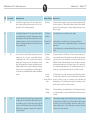
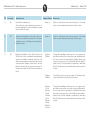
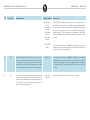
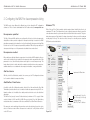
Troubleshooting table
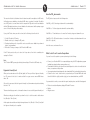
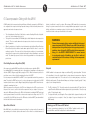
The first thing to do when any of the automatic pre-dive tests fail, is make sure that the battery
is adequately charged and that it does not require a learn cycle. A low battery may cause one
or more of the tests (especially tests 16–31) to fail. It’s also important to make sure the battery
is not over-charged. In rare circumstances, the battery might actually be charged beyond its
intended capacity, and this can also cause certain tests to fail. If there is reason to suspect that
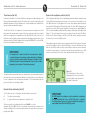
the battery may be over-charged, insert the battery and/or power-up the electronics, and
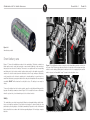
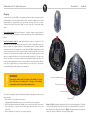
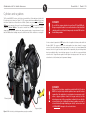
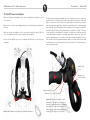
maintain contact across the two wet-switch terminals on the back of the Primary Display
(forcing the power to remain on in the event of a test failure). After several minutes with the
power on, the battery should no longer be over-charged, and the automatic pre-dive routine
can be re-started.
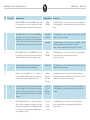
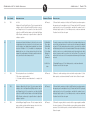
If, after attempting the Standard Response to a test failure, the automatic pre-dive routine
consistently fails on the same test, note the test number and error code for the failed test, and
consult the table on the following pages. Some of the solutions in this table suggest that the
system parameters be reset, or the firmware be re-installed, as follows:
• Reset System Parameters. In some cases, a test may fail because some of the userselectable parameters have become corrupted. Thus, for certain tests, the Configuration
PC software can be used to reset system parameters.
If the battery is properly charged (and not over-charged), there are still several actions that may
correct a persistent failure of one of the PSTs; namely:
• Reboot. Simply allowing the electronics to power-down (after a test failure), then activating
the wet switch again to re-start the automatic pre-dive test routine, can often correct a
failure in one of the tests.
• Reset Battery. After repeated failures of the same test, allow the system to power-down
following a failed test, then remove the battery from the electronics and insert it into the
battery charger (with the charger plugged into an appropriate power supply). After leaving
the battery on the charger for a few minutes, re-insert the battery into the electronics,
which will re-start the automatic pre-dive test routine. Sometimes, this will solve a problem
that a simple reboot might not. Be sure to allow the system to power-down before attempting
to reset the battery!
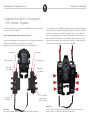
Hardware issues
Following the table for the automatic pre-dive tests is a similar table for troubleshooting various
issues related to the Hardware other than the automatic pre-dive routine.