1
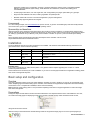
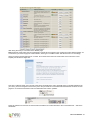
example the “Event Database Testsite” page:
We also need a TypoScript template which will hold our modified configuration for the rlmp_eventdb. Personally I prefer creating
an individual template for each extension, so I create one labelled “+ EXT: rlmp_eventdb” and make sure that it's included as a
“basis template” into my root TypoScript template.
Create categories and locations
Before we can display events grouped by categories and show additional information, we need to create some categories and
locations. In reality you'll likely create locations whenever you add an event taking place at a venue which doesn't exist yet.
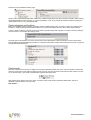
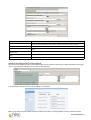
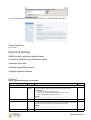
In order to create a category, just insert a new record into the general storage folder using the List module. Currently a category
record consists of only one field, the category name:
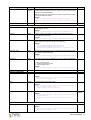
The same goes for the locations: Just insert a new location record and enter the name of the location. Future versions of the
Event Database might allow additional information for categories and locations. Finally, after inserting some records, our general
storage folder holds these items:
Create events
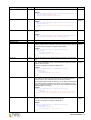
Before we create the event records, we might want to create a dedicated sysfolder just for the events. Especially on larger sites
with many events this is much easier to handle, because you'll not only have the event records but also other content for events
as you will see shortly. I just create a sysfolder below the General Storage folder:
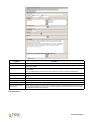
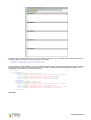
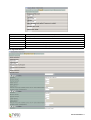
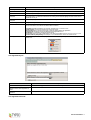
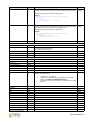
After inserting a new element of the type “event” we see the event record which is divided into different tabs. Here is an
explanation of all the fields in an event record:
Tab “General”:
EXT: Event Database - 3