1
Gigaset A510/A510A – your high-quality accessory
Gigaset A510/A510A – your high-quality accessory
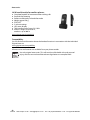
Congratulations on your purchase of this latest generation Gigaset.
Your Gigaset can do a lot more than just make calls:
Directory for 150 entries
Save phone numbers and names to the directory (¢ page 30). You can designate important
entries as VIPs (Very Important Persons). VIP calls are then recognised by their ringtone and
their background colour (¢ page 31).
If you don't (always) want it to ring
Use time control for calls (¢ page 45) or ensure that all calls from a withheld number are not
signalled (¢ page 46).
Other practical information
Transfer the directory from an existing Gigaset handset (¢ page 31), use the shortcut function (¢ page 31) and adjust the background colour and contrast of the display to your
requirements (¢ page 44).
Environment
Gigaset Green Home – be environmentally aware when using your phone. For details of our
ECO DECT products, visit www.gigaset.com/service.
For more information about your phone, visit www.gigaset.com/gigasetA510.
After purchasing your Gigaset phone, please register it at www.gigaset.com/service –
this will ensure that any questions you may have or warranty services you request are dealt
with even faster!
Have fun using your new phone!
1
VoIPon www.voipon.co.uk sales@voipon.co.uk Tel: +44 (0)1245 808195 Fax: +44 (0)1245 808299