1
BIOS SETUP
PNP/PCI Configurations
This option configures the PCI bus system. All PCI bus systems on the
system use INT#, thus all installed PCI cards must be set to this value.
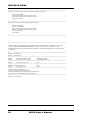
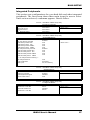
Phoenix - AwardBIOS CMOS Setup Utility
PnP/PCI Configurations
Init Display First
Onboard
Reset Configuration Data
Disabled
Resources Controlled By
IRQ Resources
Auto (ESCD)
Press Enter
PCI/VGA Palette Snoop
INT Pin 1 Assignment
INT Pin 2 Assignment
INT Pin 3 Assignment
INT Pin 4 Assignment
INT Pin 5 Assignment
INT Pin 6 Assignment
INT Pin 7 Assignment
INT Pin 8 Assignment
Disabled
Auto
Auto
Auto
Auto
Auto
Auto
Auto
Auto
**PCI Express relative items**
Maximum Payload Size
4096
ITEM HELP
Menu Level
Select Yes if you are
using a Plug and Play
capable operating
system Select No if
you need the BIOS to
configure non-boot
devices
Init Display First
The default setting is Onboard.
Reset Configuration Data
This field allows you to determine whether to reset the configuration
data or not. The default value is Disabled.
Resources Controlled by
This PnP BIOS can configure all of the boot and compatible devices
with the use of a PnP operating system such as Windows 95.
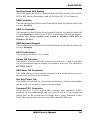
PCI/VGA Palette Snoop
Some non-standard VGA display cards may not show colors properly.
This field allows you to set whether or not MPEG ISA/VESA VGA
cards can work with PCI/VGA. When this field is enabled, a PCI/VGA
can work with an MPEG ISA/VESA VGA card. When this field is
disabled, a PCI/VGA cannot work with an MPEG ISA/VESA card.
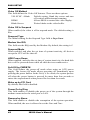
Maximum Payload Size
The default setting of the PCI Express Maximum Payload Size is 4096.
44
IB930 User’s Manual