1
Application Kit Features
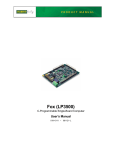
• LP3500 single-board computer with LP3500 Prototyping Board
• Two 900 MHz XCite™ or two 2.4 GHz XStream™ RF modules with two MaxStream RS-232/RS-485
Interface Boards
• Dynamic C CDs for RabbitWeb module, Point-to Point Protocol (PPP) module, and Modbus module
• Complete Dynamic C software CD and supplemental CD with sample programs and reference
information related to the Application Kit
Example Applications
• Low-cost wireless embedded control applications
• Remote monitoring of equipment, devices, locations
• Simple data-logging applications
• Peer-to-peer and point-to-point/multipoint networking control
What Else You Will Need
Dynamic C must be installed on your PC. Insert the Dynamic C CD from the Application Kit in your
PC’s CD-ROM drive. If the installation does not auto-start, run the setup.exe program in the root
directory of the Dynamic C CD. Install the software from the supplemental CD and any Dynamic C
software modules after you install Dynamic C.
Besides what is supplied with the Application Kit, you will need a PC with an available COM or USB port
to program the LP3500 in the Application Kit. If your PC only has a USB port, you will also need an
RS-232/USB converter. Note that not all RS-232/USB converters work with Dynamic C.
022-0115 Rev. A
3