1
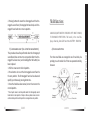
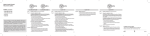
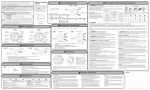
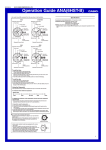
C/ SETTING THE DATE
1. Pull the crown out to the 1st position.
2. Turn the crown counter-clockwise to set the date.
* If the date is set between the hours of around 9:00 PM and
1:00 AM, the date may not change the following day.
3. After the date has been set, push the crown back to the
normal position.
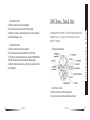
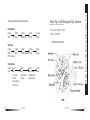
24H Chrono, Time & Date
CHRONOGRAPH FUNCTION : CENTER SECOND HAND CHRONOGRAPH 1/1 sec. Timing up to 59 minutes 59 seconds
BATTERY : SR927W
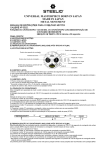
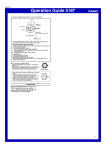
A/ DISPLAYS
BUTTONS
24H Chrono,Time & Date
B/ SETTING THE TIME
1. Pull the crown out to the 2nd position.
2. Turn the crown to set hour and minute hands.
3. When the crown is pushed back to the normal position,
second hand begins to run.
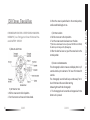
B/ SETTING THE TIME
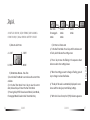
1. Pull the crown out to the 2nd position.
2. Turn the crown to set hour and minute hands.
04
ZEADES
ZEADES
05