1
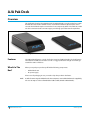
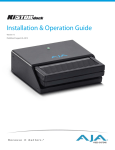
Installation Pak Dock installation couldn’t be simpler: 1. 2. 3. 4. 5. Unpack and place the Pak Dock on a flat, stable surface near your host computer. Ensure the computer is off. Connect the Pak Dock to your host computer using either a Thunderbolt or USB 3.0 cable. Do not plug both types of cables into the Pak Dock and the host computer at the same time; only one data connection between the Pak Dock and the computer is supported. Connect the AJA-supplied power supply to the Pak Dock and plug it into a 100-240 VAC power outlet. Turn on your computer. Using Thunderbolt with Windows OS Computers Special Considerations: The Pak Dock is essentially a "plug and play" device when the Thunderbolt connection is used with computers running Mac OS X. When the Pak Dock is connected to Windows OS computers via the Thunderbolt connection, there are special considerations to be aware of. With current Windows OS versions, you may need to install the following driver so that the SATA connection in the Pak Dock operates as expected in Windows: http://www.station-drivers.com/telechargement/marvell/sata/marvell_9xxx_1.2.0.1032WHQL(www.station-drivers.com).exe If you wish to remove Pak media from the Pak Dock when connected to a Windows OS computer, use the appropriate method to first gracefully eject the current Pak media from use by Windows OS. Operation The following instructions explain Pak Dock operation. Inserting Media To properly insert media into the Pak Dock, orient the media so that the side with the AJA logo is facing you and the logo is inverted. Then place the connector end of the media into the Pak Dock slot. Push the Pak media all the way into the slot gently, but firmly, until you feel the connector seat solidly. Once the Pak media is inserted into the Pak Dock, your operating system should mount the Pak media the same as any other external volume or disk drive. Depending upon your operating system version, you may see a disk icon appear on the desktop or within the operating system file manager. NOTE: AJA Pak media is HFS+ formatted. If the Pak media is used on Windows OS computers, a third-party HFS+ support application, such as Mediafour's MacDrive, is required. After the Pak media is mounted by your host computer's operating system, you can copy files from and to the Pak media. You may also delete files from the Pak media. You may copy virtually any file to the media outside of the “AJA” folder. 2AJA Pak Dock v1.0 www.aja.com