1
Table of Contents
1. Introduction to Kernel for Windows Data Recovery .......................................................................................................... 5
2.
3.
4.
5.
1.1
Using this Manual ................................................................................................................................................... 5
1.2
About Kernel for Windows Data Recovery ............................................................................................................ 6
1.3
Salient Features ....................................................................................................................................................... 7
1.4
Who Should Use this Software? ............................................................................................................................. 8
1.5
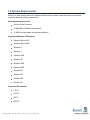
System Requirements.............................................................................................................................................. 9
Install and Uninstall ...................................................................................................................................................... 10
2.1
Install Kernel for Windows Data Recovery .......................................................................................................... 10
2.2
Uninstall Kernel for Windows Data Recovery ..................................................................................................... 10
Understanding the User Interface.................................................................................................................................. 12
3.1
Menu bar ............................................................................................................................................................... 12
3.2
Toolbar .................................................................................................................................................................. 15
3.3
Buttons Used ......................................................................................................................................................... 17
Using Kernel for Windows Data Recovery .................................................................................................................. 18
4.1
Recover Data from Physical Devices.................................................................................................................... 18
4.2
Recover Data from Logical Drives ....................................................................................................................... 30
4.3
Preview Recovered Files ....................................................................................................................................... 35
Understanding Other Useful Options ............................................................................................................................ 36
5.1
Configure Software Settings ................................................................................................................................. 37
5.2
Save Snapshot ....................................................................................................................................................... 37
5.3
Load Snapshot ....................................................................................................................................................... 38
5.4
Find File(s) ............................................................................................................................................................ 39
5.5
File Filters ............................................................................................................................................................. 40
5.6
Drive Information ................................................................................................................................................. 41
6. Download Purchase and Register ..................................................................................................................................... 42
6.1
Free Trial Download ............................................................................................................................................. 42
6.2
Purchase and Register ........................................................................................................................................... 42
6.3
Support .................................................................................................................................................................. 43
7. Legal Notices Legal Notices ............................................................................................................................................. 44
©Lepide Software Private Limited