1
Hercules 2000 User Manual
Part 2 - Operating Information
Note
At this point, either of the two functions may be changed if required
using the Scroll Up or Scroll Down Keys.
(4) Press Enter to accept the new page configuration and
restore the digital display.
You will be able to set up each FFD on the boat for the people in
the immediate vicinity, each crew member being able to develop
their own pages for the information that is most needed on the FFD.
All page displays are held in the display memory, independent of
the power supply.
2.3.3
NAV Key Configuration
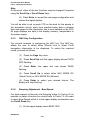
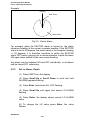
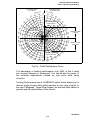
Our second example is configuring the NAV key. The NAV key
allows the user to select either Rhumb Line or Great Circle
navigation information to be displayed. To select the required
mode, proceed as follows:
(1) Press the Page Key once.
(2) Press Scroll Up until the upper display shows CNFG
DSP flashing.
(3) Press Enter, the upper text now shows PAGE
flashing.
(4) Press Scroll Up to select either NAV MODE GC
(Great Circle) or NAV MODE RH (Rhumb).
(5) Press Enter to select your desired choice. The
display will stop flashing.
2.3.4
Damping Adjustment - Boat Speed
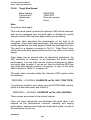
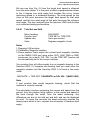
Our third example is the entry of a Damping Value. To find out if it is
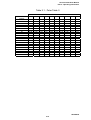
possible to damp a function you should refer to Table 1.2. We want
to damp Boat Speed which is in the upper display we therefore use
the Scroll Down Key.
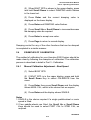
(1) On the upper display select BOAT SPD.
HB-0845-04
2-10