1
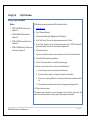
5. For the ELA rate, look at the percentage “Ready for College” under the Early Assessment of Readiness for College English 6. For the Math rate, look at the percentage “Ready for College” under the Early Assessment of Readiness for College Mathematics (Total) at the bottom of the page Priority 8. Other Pupil Outcomes CAHSEE10 ELA Proficient Rate CAHSEE Proficient rates can be found on the CDE website as follows: CAHSEE ELA 3 Year Pass Rate 1. www.cde.ca.gov CAHSEE Math Proficient Rate 2. Select “Data and Statistics” CAHSEE Math 3 Year Pass Rate 3. Click on the first link under Highlights titled “DataQuest” 4. In the “Select Level” box, use the drop down menu to select “District” 5. In the “Select Subject” box, use the drop down menu to select “High School Exit Exam (CAHSEE)” under the heading “Test Scores”, then click the submit button 6. Select the school year 7. Type the school district name in the box under item 2, then click the submit button 8. Select the District from the drop down menu 9. Select “Demographic Summary Report” under “Select a Report” 10. Select “Combined” under Specify Administration a. Note that “Combined” may not be an option in the current fiscal year depending on when you access the data as not all exams have been completed 11. Under “Select Test”, select “English-Language Arts (ELA)” , then click the submit button 12. In the “All Students Tested” chart, locate the percentage titled “% Proficient and Above” 13. Hit the back button on your browser and complete steps 11 and 12 again, but this time select “Mathematics” under “Select Test” ©2014 School Services of California, Inc. 11 | P a g e