1
ADC MDM-TEL Modem
Document
Last reviewed: 03/17/2008
PLC
IBM Compatible
AN-MISC-003.doc
Local
Modem
Remote
Modem
Page 3 of 18
MDM-TEL Configuration (Modem Wizard)
The following steps show how to configure the modem for connectivity to the PLC using the
Configuration Wizard Software provided with the modem. Use the 9 pin serial cable to connect
between the serial port of your PC and the ADC modem to download the configuration. If using
an ADC modem at both local and remote locations (which is strongly recommended), use the
same settings for both.
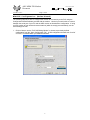
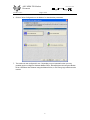
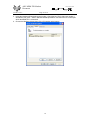
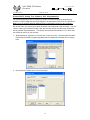
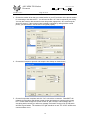
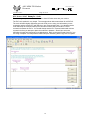
1. Click on Next to use the “PLC Self-Dialing Modem” or choose a previously defined
configuration from the “Open Configuration File”. A 250 configuration that will work for all of
our PLC’s is included when you install the software.
3