1
Flying Room Identifying Autonomous Robot 18
User Manual
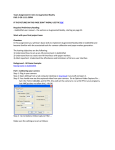
How to Remove Distortion in an Image Using MATLAB
1) Open MATLAB.
2) Read in an image that you would like to remove the distortion. Example
code is below:
Img = imread(‘distortedImg.JPG’);
3) Switch to the directory with our supplied MATLAB function
revDistOpenCV.m.
4) Call the function with appropriate input arguments.
Type help revDistOpenCV for instructions of how to call the function.
5) Interpolate using the coordinates from the output of revDistOpenCV.m and
display the image.
If the loaded image is in RGB space, convert the image into HSV and interpolate
on each channel independently before switching ba
Manual Image Gathering
To manually capture video for image processing calibration or testing do the
following.
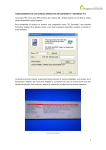
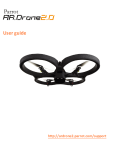
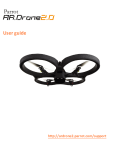
1. Download the App for controlling the AR Drone onto your phone. Click here
to view which app is needed for your phone.
2. Once the App is installed plug a USB memory stick into the USB port in the
AR Drone’s battery compartment. Secure the battery with the Velcro straps
and hook up the battery to the AR Drone. Wait until all the rotors spin and
give a green light.
3. Now connect to the Drone using the App on your phone, this uses wi-fi.
After connecting to the drone choose the pilot option in the App. This
should bring up a screen showing you the feed from the Drone’s camera.
4. In the upper right side of the screen there is a camera icon. Tap this icon
and it will start recording vide to the USB memory stick. From here you can
fly the drone with your phone to get the desired video or you can hold the
Drone in your hand and move it around to get the video. Using your hand
to get the video is usually easier and more stable.