1
Making a Call
Making/Answering Calls
a
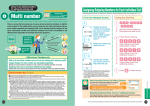
Enter a phone number
• Up to 64 digits can be entered. As more than 64 digits are entered, the first
entered digits will be deleted.
• Start from the area code even for a local call.
• i [Store] : Go to Step 2 (P97) in "Saving Contacts to the Phonebook from
Received Calls or Dialed Calls".
Phone number
entry screen
■ To make a call to a fixed line phone
Area Code - City Code - Phone Number
Making a Call
■ To make a call to a mobile phone
090 - XXXX - XXXX/080 - XXXX - XXXX
■ To make a call to a PHS
070 - XXXX - XXXX
b
o/c
A ringing tone sounds from the Earpiece, and the Dialing screen with
"Voice Calling..." displayed opens until the other party answers the call.
• i [Swap]: Use the multitask function. →P258
c
p to terminate the call
Voice Call screen
• If you hear the voice guidance of Caller ID Request, make a call again sending the Caller ID.
• When the phone number cannot be dialed due to poor signal reception, a message of "Call Failed" appears. Press
h [Retry] to redial the number, and when ringing starts, an alarm sounds.
• You cannot switch to a video call during a voice call using this FOMA handset.
• Closing the FOMA handset during a call terminates the call. However, when using the miniUSB Stereo Headset M01
(optional) or In-Car Handsfree, etc., the call will not be terminated when the handset is closed.
• When the other party terminates the call, the call end tone sounds, "pilolo", from the Earpiece.
• If a charge starts during a call, the charge start tone sounds from the Earpiece.
• When the battery becomes low during a call, the low battery alert, "pico", sounds from the Earpiece every 30
seconds. You can keep talking,; however, the call will be terminated momentarily when the handset power is
automatically turned off.
• When you call a special number such as "113", "114", "171", or "1419", this FOMA handset behaves as follows:
- Even if the call is connected to the network and you can hear the voice guidance, the Dialing screen stays open.
- Even if you send push signals(DTMF) by pressing Dial Keys, the entered digits do not appear on the screen.
- After operations are finished and the call is disconnected from the network, a message of "Call Failed" may
appear.
■ To correct an entered phone number
To delete an entered digit, use a to move the cursor to the right of the digit and press C.
To add a digit, use a to move the cursor to the position and enter the digit with the Dial Keys.
■ Screen display during dialing
The other party's name appears if the other party is saved in the Phonebook. However, when a call is made to the
other party that has been set "Secret Data" to "Hide" and set the Phonebook entry to Secret, the phone number is
displayed.
52