1
Important Unique Buttons
Programme Guide (In DTV mode)
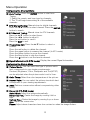
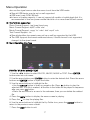
Press EPG button to display the Programme Guide menu. This function let you know the
detailed information of the channel, indicating the time of the program playing.
Press EXIT button to exit.
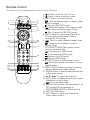
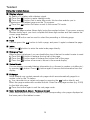
Record: Press the red button to set the parameters for recording. The unit is able to do
schedule recording when TV is turning on or in standby mode. You can set up several
schedule recording. Different schedules should not overlap. When recording starts in
standby mode, the front indicators will change color and there will be no picture or sound
from the unit. You can press
button to light up the screen.
INFO: Press the green button to see the detailed information of the current channel.
Schedule: Press the yellow button to display the schedule list.
Remind: If you find the desired program which will be shown in the future. Press the blue
button to book program.
Press the CH+/CH- button to select the preceding or following page.
ENTER: Press to change channel.
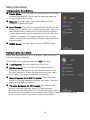
Channel List
Press LIST button to display the Channel List.
Press ▲/▼ to select the items.
Press ENTER button to enter the channel.
Press CH+/CH- button to page down or up the Channel list.
Press LIST button to exit.
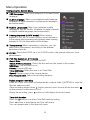
Favorite List
button to display the favorite list.
Press
Press ▲/▼ to select the items.
Press ENTER button to enter the channel.
Press CH+/CH- button to page down or up the Favorite list.
button to exit.
Press
18