1
T3 User Manual
Chapter Summary
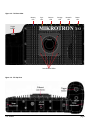
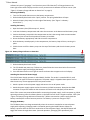
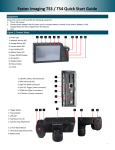
Chapter 1, TS3 Product Overview
The first chapter contains general information regarding the TS3 product family, common
applications for which the camera is used, and the basic guide to the component parts of the camera.
Look here for the names and locations of all camera controls and indicators.
Chapter 2, Getting Started
This chapter guides the user through the camera setup process from unpacking the camera to
attaching, connecting, or installing the pieces necessary to begin using the camera: i.e. the power
supply and/or battery, lenses, mass memory devices, etc., as well as optional devices such as
triggers, monitors, PCs, etc.
Chapter 3, Camera Setup
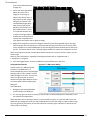
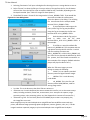
This chapter is about learning to use the TS3 user interface and setting the camera up for use,
including naming the camera and setting up the time. It also covers controls for the built-in
LCD display, connecting with an external display, and connecting the TS3 to a computer
network.
Chapter 4, Recording with the TS3
Chapter 4 covers the recording process from setting up the recording parameters to Arming
and Triggering the camera. It also covers bit selection, image processing and saving the imagery
in its different formats.
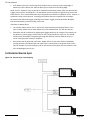
Chapter 5, Synchronizing Cameras
Cameras may be synchronized to external timing devices as well as to other cameras. This
chapter tells you how to do it on the TS3.
Chapter 6, TS3 Web-Application
TS3 camera’s Web-Application makes it easy to control the camera from virtually any device that
can attach to a network and run a standard internet browser. No need to load any software!
Chapter 6 walks you through the Web-App and how to control the camera, and capture and
manage imagery with it.
Chapters 7 and 8, FasMotion
FasMotion is MIKROTRON proprietary camera control software for setting up and controlling the
TS3 with a PC via GigE connection. Chapter 7 covers the setup portion. Chapter 8 covers recording
with FasMotion.
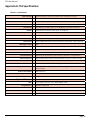
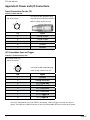
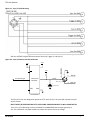
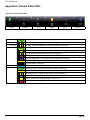
Appendices and Application Notes
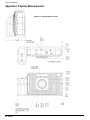
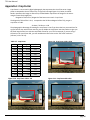
Technical details are to be found in these sections. They include a glossary of terms, camera and
sensor specifications, lens FOV vs. resolutions tables, an index, connector schematics, and back
focus adjustment procedures, system optimization and much more.