1
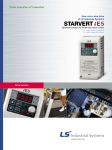
New micro size drive
Protections
Display
STARVERT
Check and Remedy
Protections
Descriptions
Over current
Drive output is blokced in case the output current is over 200% of rated current.
Ground current
In case the ground protection of starting point is used, the drive output is blocked if ground
current flows that is generatd from the drive output side.
Ground current
Drive blocks its output if the over current is flowed to any phase of between U.V.W phase.
In this case the over current is generally generated by unbalancing from ground falut.
Overload
If the output current of drive is over 150% of rated current for more than one minute, the
output is blocked. The protection time is shortened as output current is increased
Overload trip
If output current is bigger than motor rated current(P25) the output is blocked
Cooling fan overheat
If the drive cooling fan is overheated, and if the ambient temperature of drive reaches to
over recommended degree, the output of drive is blocked.
Condenser overload
This fault is generated in case of single phase loss of three phase product or if DC voltage
fluctuation level becomes big as the main condenser is aged. Yet the condenser overlaod
detection time can be varied depend on the output current size.
Output loss
More than one phase becomes loss among U.V.W, the dirve output is blocked.
Over voltage
If the main circuit DC voltage of drive inside goes over 400V, the output is blocked.
This over voltage is generated if the deceleration time is too short or the input voltage
goes over recommneded level.
Protections
Fault reason
Caution
▶
●
▶
●
●
Ground current
Cooling fan overheat
Parameter save fault
When the changed parameter is inputted to drive, if some faults are generated, this fault is
displayed. This is displayed with power input.
Hardware fault
This is dispalyed with CPU or OS fault.
This is not cleared by the STOP/RST key of loader or by the reset terminal.
Fault is not cleared by STOP/RST keys of the keypad or reset terminal.
Please re-input power after off the drive power and the keypad display power is completely off.
Output instant
blocking
Drive output is blokced when the EST terminal is on.
Caution : with the “ON”of terminal operation command signal FX or RX, if the EST
terminal is off drive restart its operation.
Output phase loss
Drive outputcable is on ground fault.
Motor insulation is heated.
▶
Load is bigger than rated value.
Torque boost volume is too big.
▶
Cooling system fault.
Cooling fan lifetime is over.
● High ambient temperature.
▶
▶
▶
●
▶
1 phase is loss of three phase product.
Please use higher capacity motor and drive.
Please reduce the torque boost volume.
Please check input power wiring.
Please check the input power.
▶ Replacement may need please ask after sales
service.
▶
●
Internal condenser life is over.
●
Electronic contactor fault of output part.
Output wiring fault.
▶
Please check the electronic contactor of output part.
Please check the output part wiring.
Dec time is too short comparing to the load inertia(GD2).
Regenerative load is located at the output part.
● Main power is to high.
▶
Please set the deceleration time with higher margin.
▶
Please down the main power below rated value.
●
Mian power is too low.
Bigger than power capacity load is contactd to the
main power part.
● Electronic contactor fault of power part.
▶
●
▶
Please use over rated value power.
Please use higher power.
▶
Please replace the electronic contactor.
When the multi-function input terminal selection of the
program group(P66~P70) is set as number 18 or 19
if these terminals are "ON" these fault messages are
displayed.
▶
Circuit fault and external faults.
●
No command at the V1 and I terminals.
▶
●
No signal input of communication option.
●
▶
●
Over voltage
Low voltage
●
A contact fault signal input
A Contact fault
signal input
Once the multi-function input terminal selection(P66~P70) is selected as number 1 9(External
trip signal input : B contact) and if this selected becomes "OFF" the drive blocks output.
B contact fault signal input
Frequency commnad loss
Please check the wiring and command level of V1
and I terminals.
▶ Please check the communicaitn cable of the master
device.
▶
Parameter save fault
18 _ LS Industrial Systems Co., Ltd.
Please check the output terminal wiring.
Please replace the motor.
Please check the vents.
Please replace cooling fan.
▶ Pleae keep the ambient temperature to 40℃.
●
●
Once the multi-function input terminal selection(P66~P70) is selected as number 1 8(External
trip signal input : A contact) and if this selected becomes "OFF" the drive blocks output.
Displays fault status of frequency command. In case the analog input(0~10V), 0~20mA and
option(RS485)operation, if the operational signal is not inputted, the operation is carried out
by P81 that is selected from the speed command phase loss operation.
Output terminal and ground fault.
Motor breaking is too speedy.
▶
A Contact fault
signal input
Frequency phase loss
●
●
Condenser overload
If drive inside main circuit voltage goes below 180V, drive blocks its output.
●
●
Drive overload Overload trip
Please set the Acc/Dec time with higher margin.
Please replace bigger capacity drive.
▶ Try to operate after stopping motor or pleae use
the speed search function(H22) of function group 2.
▶ Please check the output wiring.
▶ Please check the mechanical break.
●
●
Low voltage
The fault casued by over current may damage drive inside power semiconductor parts
so that the reason of over current has to be cleared first and then start operation.
Acc/Dec time is too fast comparing to the load inertia(GD2)
Load is bigger than rated value.
● Drive output is released during free run of motor.
Over current
Remedy
Hardware fault
After software upgrade when the power is inputted
as first time, these messages are displayed.
In this case, please "OFF" the power first and then
re-input the power.
This is normal operation after software upgrade.
Inverter Starvert iE5 Series _ 19