1
Applicable areas:
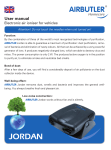
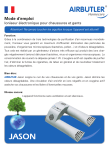
AIRBUTLER Jason is to have on around your neck. The appliance eliminates dust, bacteria
directly in front of your mouth and nose. The air you breathe Attention! Personal ioniser
is clean, fresh and full of negative ions. You can humidify the air by dropping some water
into the cavities suited for this purpose.
Application:
Appropiate for all kind of strongly stressed footware. When frequently used AIRBUTLER Jason takes optimal care of the material and extend the lifetime and comfort of your shoes.
Introduction:
Connect AIRBUTLER Jason in the wall outlet. Use the enclosed net cable/adaptor or use
batteries (4 pcs. DC6V batteries) The batteries are inserted in each tube/side by turning
the end caps of. When the batteries (2 in each side) are inserted close the end caps and
turn AIRBUTLER Jason ON. A green light indicates operation. Then just insert AIRBUTLER
Jason into your shooes.
Device settings:
AIRBUTLER Jason has 2 levels – low – high. When used in high AIRBUTLER Jason turns off
automatic after 10 Minutes, when used in low after 6 hours. In order to save batteries use
the adaptor when possible.
Servicing / cleaning:
Change the batteries when the green light changes into orange/red light.
IMPORTANT:
• Keep during operation a distance of at least 50 cm to the outlet of the device.
• Put no metallic subjects in the device to avoid surges and damages. The device
must be kept away from all inflammable and explosive subjects.
• The device may not be exposed to water and steam.
• Avoid placement in the direct sun and close to heat springs like stoves etc. which
could deform the case.
• For the cleaning of the case no alcohol or gasoline may be used, because these
damage the surface.