1
Table of contents
3
Table of contents
1
Introduction .................................................................................................. 7
1.1
Safety instructions ................................................................................... 10
1.2
Product overview ..................................................................................... 15
1.3
Handling the system ................................................................................ 17
1.4
Transport and storage ............................................................................. 17
1.5
Support and maintenance ........................................................................ 17
1.5.1
2
Remote support ....................................................................................... 18
Getting started ............................................................................................. 20
2.1
Connecting the display cable ................................................................... 20
2.2
Switching the system ON/OFF ................................................................. 20
2.3
User interface ......................................................................................... 22
2.3.1
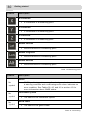
Buttons and icons..................................................................................... 23
2.3.2
Screen views ........................................................................................... 24
2.3.3
Dashboard ............................................................................................... 26
2.3.3.1
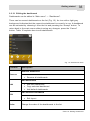
Editing the dashboard ........................................................................ 33
2.3.4
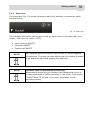
Status bar ................................................................................................ 35
2.3.5
Left menu ................................................................................................ 36
2.3.6
Right menu .............................................................................................. 37
2.3.6.1
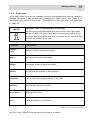
Direction ........................................................................................... 38
2.3.6.2
Zero .................................................................................................. 39
2.3.7
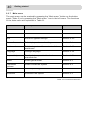
Main menu ............................................................................................... 40
2.3.8
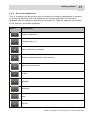
On-screen keyboards ............................................................................... 41
2.4
Display and lightbar settings .................................................................... 42
2.4.1
2.4.2
2.4.3
2.4.4
2.4.5
3
Display brightness .................................................................................... 42
Sound settings ......................................................................................... 42
Function buttons ...................................................................................... 42
Language ................................................................................................ 43
XD2 settings ............................................................................................ 43
Jobsites and Tasks ...................................................................................... 45
3.1
Tasks created with the system ................................................................. 50
3.1.1
3.1.2
Plane ....................................................................................................... 50
Slope ....................................................................................................... 50