1
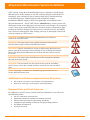
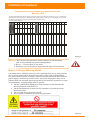
Important Safety Instructions This manual contains important instructions to follow during installation and maintenance of the APsystems Photovoltaic Grid-connected Inverter (Microinverter). To reduce the risk of electrical shock and ensure the safe installation and operation of the APsystems Microinverter, the following symbols appear throughout this document to indicate dangerous conditions and important safety instructions. Specifications subject to change without notice - please ensure you are using the most recent update found at www.APsystems.com WARNING: This indicates a situation where failure to follow instructions may cause a serious hardware failure or personnel danger if not applied appropriately. Use extreme caution when performing this task. NOTE: This indicates information that is important for optimized Microinverter operation. Follow these instructions closely. Safety Instructions Do NOT disconnect the PV module from the APsystems Microinverter without first disconnecting the AC power. Only qualified professionals should install and/or replace APsystems Microinverters. Perform all electrical installations in accordance with local electrical codes. Before installing or using the APsystems Microinverter, please read all instructions and cautionary markings in the technical documents and on the APsystems Microinverter system and the solar-array. Be aware that the body of the APsystems Microinverter is the heat sink and can reach a temperature of 80°C. To reduce risk of burns, do not touch the body of the Microinverter. Do NOT attempt to repair the APsystems Microinverter. If it fails, contact APsystems Customer Support to obtain an RMA number and start the replacement process. Damaging or opening the APsystems Microinverter will void the warranty. Caution! The external protective earthing conductor is connected to the inverter protective earthing terminal through AC connector. When connecting, connect the AC connector first to ensure the inverter earthing then do the DC connections. When disconnecting, disconnect the AC by opening the branch circuit breaker first but maintain the protective earthing conductor in the branch circuit breaker connect to the inverter ,then disconnect the DC inputs. In any circumstance, do not connect DC input when AC connector is unplugged. Please install isolation switching devices on the AC side of the inverter. WARNING SYMBOL NOTE SYMBOL APsystems YC250/YC500 Installation/User Manual 2