1
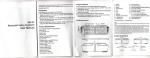
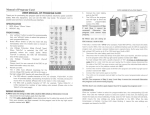
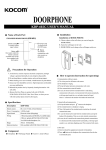
3. lndoor Monitor
5. Setting
(1) Date and time
Press 'talk' key for 2 seconds to enter time adjustment screen, press
the lefVrighV up/down key on the menu to adjust the time freely.
finfg6ns-
3.5 inch TFT LCD
(2) Adjust talk volume
ln the intercom mode, press the lefUright key to adjust the
Power indicator
Unlock indicator
talk
volume.
(3) Melody
ln the no-intercom mode, press lefUright key to select melody.
(4) Brightness
ln the intercom mode,
brightness"
4. Outdoor camera
(12)
(1) Microphone
(2) lnfrared light
(4) Speaker
(5)'Call'
(6)Power light
(7) Power (B)Unlock interface (9)'Code' (10)Switch
(11)Solar charging socket (12) Lithium battery (13)Shell
press the up/down key
to
adjust the