1
User Manual
Document code: MN67316_ENG
CAN Analyzer
Revision 1.013
Page 21 of 41
Electronic Devices
FORMS DEVICENET:
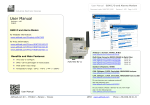
With the button “Device NET”, you can access the window for the
DeviceNET’s Master simulation (Fig. 15).
In the window “Device NET Master Emulator”, you must write the
device’s address only, then push the START button in order to visualize
the input and output data.
In the left column you can put the data that DeviceNet’s Master must
write in DeviceNET’s net.
In order to change the data’s value, it is enough: to select the data, to
write its value in the editbox on the list and to push the SEND button.
In the right column you can view all data of the slave. This column can
be only read.
Push the STOP button in order to stop communication with the slave.
Figure 15: “DeviceNet Master” window
_____________________________________________________________________________________________________________
___
ADFweb.com Srl – IT31010 – Mareno – Treviso
INFO: www.adfweb.com
Phone +39.0438.30.91.31