1
REMOTE CONTROL KEYPAD AND LCD MANUAL
Antenna
Indicator Light
High/Low Speed
mode selector
3D Stunt
Power Switch
Right function lever
(4-way directional)
Left function lever
Throttle
Photo/
Video
Fine-tune
Forward/Backward
Fine-tune
Turn left/right
(Mode 1)
Fine-tune
Strafe left/right
(Mode 2)
Mode Switch
Fine-tune
Strafe left/right
(Mode 1)
LCD Display
Fine-tune left/right
(Mode 2)
01. Fine-tuning: Side-to-side Strafing [defaults to center on start-up]
02. Fine-tuning: Forward/Backward [defaults to center on start-up]
03. Fine-tuning: Turn Left/Right [defaults to center on start-up]
04. Fine-tuning: Throttle [defaults to center on start-up]
05. Throttle [defaults to zero on start-up]
06. Directional Display [defaults to center on start-up]
07. Lateral Movement to Right
08. Rearward Movement
09. Lateral movement to Left
10. Right rotational movement [defaults to zero on start-up]
11. Left rotational movement [defaults to zero on start-up]
12. High Speed Mode Active
13. Low Speed Mode Active
14. Controller Battery Level Indicator
15. Flight Mode 1 Active (Default); To change to Mode 2, press and hold Mode Switch to the right
before turning on the transmitter.
16. Remote control signal strength
17. Indicates positive communication lock with the Dronium
Remote Control
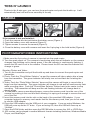
1. Install batteries carefully.
2. Do not mix old and new batteries.
3. Do not mix different types of batteries.
2