1
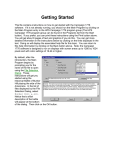
The Bunker Hill battlefield will be
drawn on the screen and in the
middle of the screen, the Phase
Dialog will appear. Important:
click anywhere in the dialog
picture to cause the program to
begin the A/I portion of the
battle. If you click on the Close
button, the program will just sit
there and you will need to click
on the A/I Toolbar Button to get
it to do something.
When the A/I completes, the
Phase Dialog will reappear.
Now it is your turn. Click
anywhere in the Phase Dialog
picture area. At this point, you
may want to review your forces
in this battle. You can click on
any location on the map and at
the left of the screen, it will tell
you what leaders and units are
located there. Also notice that
the map is scrollable by using the scroll bars that appear at the right and
bottom of the map area.
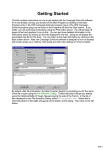
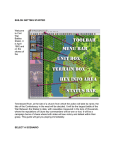
Find the location displayed in the
picture at right and click on it.
Notice that a red hexagon will
appear at the location and that at
the left of the screen, you will see
that the location is defended by Col.
Prescott and 3 companies of
Massachusetts infantry.
We’ll start by doing some firing on the enemy forces. There are
several issues involved in valid firing involving range, weapon, and
line-of-sight. However, it is always easy to find units capable of
action in the current phase by clicking on the Next Unit Toolbar
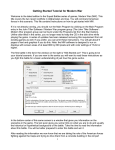
Button while holding down the Control (Ctrl) key. Locate the button displayed
at left in the toolbar area and click on it while holding down the Control (Ctrl)
key.
2