1
Contents
Welcome ..........................................................................................................3
Important Notices............................................................................................3
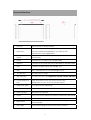
Keys and Functions..........................................................................................4
I. Getting Started .............................................................................................5
1.1 Turn on/off ..................................................................................................5
1.1.1 Turn on......................................................................................................5
1.1.2 Turn off......................................................................................................5
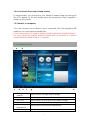
1.1.3 Launcher & PIPO launcher ...................................................................5
1.2 Lock/unlock the screen (sleep mode)...................................................7
1.3 Connect to computer ..............................................................................7
II. Your Home Screen.......................................................................................7
2.1 Change wallpaper: ..................................................................................8
2.2 Add/delete applications on home screen: ..........................................8
2.3 Add widgets to home screen: ................................................................9
III. Network Connection..................................................................................9
3.1 Wi-Fi..............................................................................................................9
3.1.1 Turn on Wi-Fi.............................................................................................9
3.1.2 Turn off Wi-Fi ............................................................................................9
3.1.3 Add a Wi-Fi network........................................................................... 10
3.2 Bluetooth ................................................................................................ 10
3.2.1 Make device discoverable .............................................................. 10
3.2.2 Scan for devices................................................................................. 10
3.2.3 Pair with the Bluetooth device ......................................................... 10
3.3 3G Network ............................................................................................11
3.3.1 External 3G Network .......................................................................... 11
3.3.2 Internal 3G support (optional).......................................................... 11
IV. Internet Browsing....................................................................................11
4.1 Internet Browsing ...................................................................................11
V. Install and Manage Apps ...................................................................... 12
5.1 Install Apps.............................................................................................. 12
5.2 Manage Apps........................................................................................ 12
VI. Multi-media Functions ........................................................................... 13
6.1 Music ....................................................................................................... 13
6.2 Video ....................................................................................................... 14
6.2.1 HDMI output ........................................................................................ 14
6.3 Gallery..................................................................................................... 15
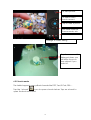
6.4 Camera................................................................................................... 15
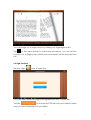
6.5 E-book reader ........................................................................................16
6.6 Sign function...........................................................................................17
6.7 Incstage Apps........................................................................................ 18
VII. Settings.................................................................................................... 22
VIII. Battery .................................................................................................... 26
IX .Firmware Upgrading Procedures ......................................................... 26
Troubleshooting ........................................................................................... 31
2