1
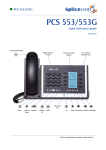
l PCS 563 Making an Internal Call Making an Internal Call Dial the extension number via the alpha-numeric keypad Press the context sensitive key alongside the |Dial| icon, or lift your handset The Call Status screen will display whom you are ringing and your details OR OR Lift your handset or press the Speaker key and Dial the extension via the alpha-numeric keypad OR OR Press the Contacts Key Press the key on the keypad that displays the first letter of the User’s name Find the User required by using the Navigation keys Select the User required using the context sensitive key alongside the |User Name| Dial the User using the context sensitive key alongside the number required OR OR Press the Favorites Key (Unless this is your default idle page) Find the colleague required from your Favourites display using the Navigation Keys Dial the colleague required us ng the context sensitive Key alongside |Speed Dial Name| (Note: If the extension you are ringing is busy or not answered within 20 seconds (default) you will be passed to voicemail, if enabled.) 1 PCS 563 Quick Reference Guide Version 4/0415/1