1
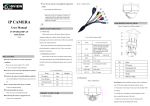
3.4 Open the attachment pack, take out the screws; With this
4.4 Go to CD->English->Software to find Upgrade Tool and
screw will play good expansion bolt installation device fixed
install it.
and password, see below picture.
5.SPECIFICATIONS
Model
Picture 8 WEB GUI After login, enter into below picture
IV-BUF363MP
Camera
to the surface (wall or ceiling);
use the device ip address is in the same LAN of router, de
Image Sensor
1/3” 3Megapixel Sony Aptina CMOS
3.5 Plug the external cables according to the use requirements
4.5 Run Upgrade Tool, Clock “IP Search”, you will find
Effective Pixels
2048(H) x 1536(V)
of equipment.
the device ip, see below picture
Scanning System
Progressive
Electronic Shutter
Speed
Auto/Manual 1/50~1/10000
Min. Illumination
Color: 0. 1 lux /F1.4, B/W: 0.01 lux /F1.4,0 lux (IR on)
S/N Ratio
Picture 6 IP Configure
>50dB
Camera Features
Picture 4 Equipment installation diagram(2)
Max. IR LEDs
Length
Day/Night
4.9 Login with user name and password, see below picture
Picture 9 Bit rate type
60 ft
Auto(ICR) / Color / B/W
Backlight
BLC
White Balance
Auto
Gain Control
Auto/Manual
Noise Reduction
3D
Privacy Masking
Up to 4 areas
Slow Shutter
None / Low / Middle / High
Motion Detection
22 x 18 areas
Lens
Focal Length
3.6 Using tools to adjust screw loose device;
3.7 The up and down or so regulating equipment, according to
the use requirements set equipment of direction;
3.6mm
Max Aperture
F1.2
Mount Type
Board-in Type
Compression
H.264 High Profile / JPEG Snapshot
Resolution
60Hz Mode: 3M (2048 x 1536) / 1080p (1920 × 1080) /
720P(1280 × 720)
4.6 Select the device to configure IP, see below picture
Video
Picture7 IP Configure
3.8 Using tools to screw locking device;
Frame
Rate
4.Network Operation
4.1 Use correct power supply
Main Stream
Sub Stream
Bit Rate
4.2 After startup, connect the device with switch or router,
Picture10 WEB GUI after login
3M (1 ~ 15fps) / 1080p / 720p (1~25/30fps)
D1 / CIF (1 ~ 25/30fps)
H.264: 50K ~ 8000Kbps
Network
Ethernet
see below picture
Protocol
Picture 5 Network structure
RJ-45 (10/100Base-T)
IPv4, HTTP, SSL, TCP/IP, UDP, UPnP, ICMP, IGMP,
SNMP, RTSP, RTP, SMTP, NTP, DHCP, DNS, PPPOE,
DDNS, FTP, IP Filter, QoS, Cloud
ONVIF
ONVIF Ver. 2.0
Max. User Access
5 users
Smart Phones
iPhone, Android
Browsers
IE
General
Power Supply
Power Consumption
4. 7 Default IP setting:
IP address: 192.168.1.10
Subnet Mask: 255.255.255.0
refer to IP camera user manual in the CD “IPC Fast User
Gateway: 192.168.1.1
Manual.pdf” and “IP Camera user manual Common
User name: admin
Password: no password
4.3 Make default IP address is 192.168.1.10
Equipment specific relevant parameter Settings please
4.8 Open IE type IP address. login with user name
Version.pdf”.
Working
Environment
DC12V, PoE (802.3af)
<10W
Temperature:14°F~140°F, Humidity: 10%~90%
Ingress Protection
IP66
Dimensions
2.31” x 2.5” x 5.75”
Weight
Appro 0.8 lbs
The Specifications are subject to change without prior notice.