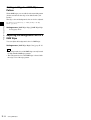
1
Table of Contents
(this manual)
Chapter 1 Overview
Introduction....................................................................... II-5
System Configuration Examples ................................................II-5
Chapter 3 Audio Mixing
Overview .......................................................................... II-31
Details on [Audio Channel] Menu ............................. II-31
Chapter 4 Input Image Freezing and Frame
Memory
Overview .......................................................................... II-34
Freezing Input Images.................................................. II-34
Chapter 2 Video Switching
Selecting Frame Memory for Use as Frame Memory
Overview ............................................................................ II-7
Video (FM) ..................................................................... II-35
Setting the Transition Type .......................................... II-8
Saving Images to Frame Memory ............................. II-35
General Transition Settings ([Misc] menu)............... II-8
Importing and Exporting Images............................... II-36
AUX Mixing........................................................................ II-9
Importing Images......................................................................II-36
Export Frame Memory .............................................................II-36
Setting Wipes.................................................................. II-10
Basic Operations for Wipe .......................................................II-10
Selecting the Pattern and Direction for Wipes .........................II-10
Making Detailed Adjustments to Wipe Patterns ......................II-10
Adding the Edge to the Wipe Pattern .......................................II-12
Setting DME Wipes........................................................ II-12
Basic Operations for DME Wipe .............................................II-12
Selecting the Pattern and Direction for DME Wipes ...............II-12
Making Detailed Adjustments to DME Wipe Patterns ............II-13
Adding an Edge to a DME Wipe Pattern .................................II-14
Adjusting the Background Color of a DME Wipe ...................II-14
Chapter 5 Importing and Exporting Files
Importing and Exporting Configuration Data ........ II-38
Exporting Configuration Data ..................................................II-38
Importing Configuration Data ..................................................II-39
Importing and Exporting Snapshots........................ II-39
Exporting Snapshots.................................................................II-39
Importing Snapshots.................................................................II-40
Formatting a USB Flash Drive ................................... II-40
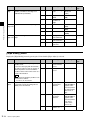
Details on [Effect] Menu .............................................. II-15
[Effect] Menu ...........................................................................II-15
[Wipe Modify] Menu ...............................................................II-16
[DME Wipe Modify] Menu......................................................II-18
Setting Keys.................................................................... II-19
Basic Operations for Keys........................................................II-19
Setting Key Transitions ............................................................II-20
Selecting the Pattern and Direction for Key Wipes..................II-20
Making Detailed Adjustments to Key Wipe Patterns...............II-20
Setting Key DME Wipes ..........................................................II-20
Making Detailed Adjustments to Key DME Wipe Patterns.....II-21
Selecting Key Types.................................................................II-21
Making Detailed Adjustments to the Luminance Key .............II-21
Making Detailed Adjustments to the Linear Key.....................II-21
Making Detailed Adjustments to the Chroma Key ..................II-21
Setting the Key Fill and Key Source ........................................II-21
Setting a Mask for a Key ..........................................................II-22
Adding an Edge to a Key..........................................................II-22
Adjusting the Size and Position of the Key..............................II-22
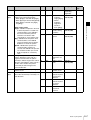
Details on [Key] Menu .................................................. II-23
[Key] Menu ..............................................................................II-23
[Resizer] Menu .........................................................................II-26
[Auto Chromakey] Menu .........................................................II-27
[Manual Chromakey] Menu .....................................................II-28
[Key Wipe Modify] Menu........................................................II-29
[Key DME Wipe Modify] Menu ..............................................II-30
II-2
Table of Contents
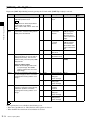
Chapter 6 3D System
Overview .......................................................................... II-41
Making the Necessary Settings ................................. II-42
Setting the Signal Format and Video Size................................II-42
Turning 3D Mode On ...............................................................II-42
Confirming 3D Video Output...................................................II-43
Chapter 7 Controlling External Devices
Enabling/Disabling Operation from External
Devices .......................................................................... II-44
Connecting with External Devices............................ II-44
Setting GPI Inputs ....................................................................II-44
Setting GPI Outputs/Tallies......................................................II-44
Details on [GPI/Tally] Menu ........................................ II-45