1
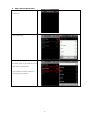
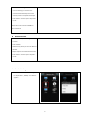
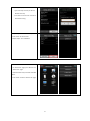
4. Select device model number
Use letter search or the select bar in the
right side for locating brands
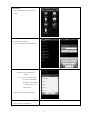
Press “Unable to confirm the model?” if
your model is not on the list.
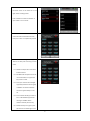
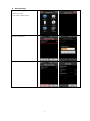
5. Press buttons to make sure the remote
codes have been downloaded correctly
then press “save” to complete the process
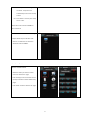
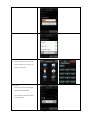
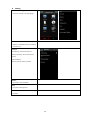
6. When the code is missing or mistake, press
“Menu” and then press “Learning” to learn
codes.
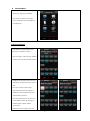
6.1 AsONE is ready to learn if its Status
Indicator flashes
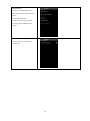
6.2 SoloMote will autopilot to learn but
users themselves can appoint the
key to learn as well.
6.3 Point your remote control straight
oppositely toward the Learning Eye
of AsONE. The distance between
the two is approximately 5 to 10
cm.
6.4 Press and hold the key you want to
learn until SoloMote appears OK
message or AsONE’s Status
Indicator radiates permanently.
6.5 Release the key and a green point
will show on the lower right corner
2