1
Hybrid NDVR Server Manual
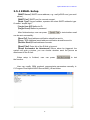
2.5.1 EMAIL Setup
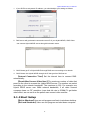
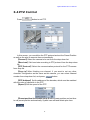
【SMPT Server】SMTP server address, e.g.: mail.jstDVR.com (your mail
server),
【SMPT Port】SMTP port for connect request.
【Auth. Type】Logon mailbox, operator will select SMTP authentic type.
Or select “simple login”.
【Login User ID】Mailbox’s ID.
【Login Pass】Mailbox’s password.
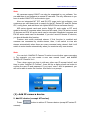
After finished setup, user can press
to test whether email
can be sent successfully.
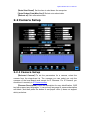
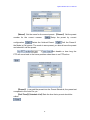
【Send To】Email address notification should be sent to
【Copy To】Additional email address notification should be sent to
【Sender Email】Email address of sender.
【Email Title】Enter title of the E-Mail to be sent.
【Email Screenshot As Attachment】When alarm be triggered, the
system will grab a picture, you can choose whether send the picture as
attachment to the E-mail.
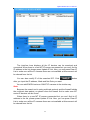
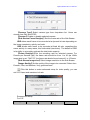
When setup is finished, user can press
to test
the function.
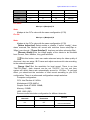
User can modify GSM modem's communicate parameters manually in
C:\Program Files\Hybrid NDVR Server\SMS_LIB as bellow:
69