1
!IC-M603.qxd
06.7.28 1:46 PM
Page 13 (1,1)
4
DUALWATCH/TRI-WATCH
■ Description
■ Operation
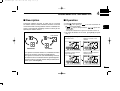
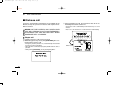
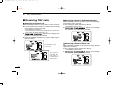
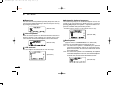
Dualwatch monitors Channel 16 while you are receiving
on another channel; Tri-watch monitors Channel 16 and the
call channel while receiving another channel. Dualwatch/Triwatch is convenient for monitoring Channel 16 when you are
operating on another channel.
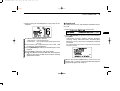
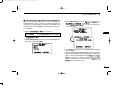
q Select the desired channel.
w Push [F], then push [1• DUAL ] to start Dualwatch or
[2• TRI ] to start Tri-watch.
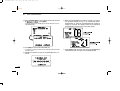
DUAL 16” appears during Dualwatch; “T
TRI 16” appears dur• “D
ing Tri-watch.
• A beep tone sounds when a signal is received on Channel 16.
e To cancel Dualwatch or Tri-watch, push [CLR] or repeat
step w.
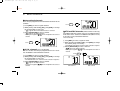
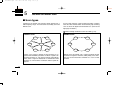
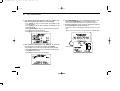
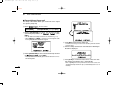
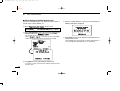
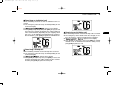
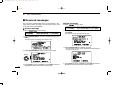
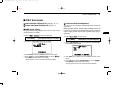
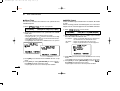
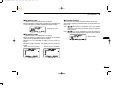
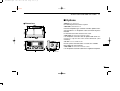
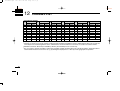
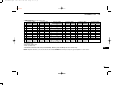
DUALWATCH/TRI-WATCH SIMULATION
Call channel
[Example]: Operating Tri-watch on INT Channel 25
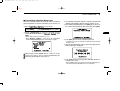
Tri-watch starts.
25W
INT
DUP
TAG
TRI 16
Dualwatch
3
4
Tri-watch
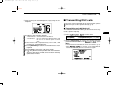
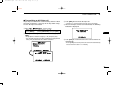
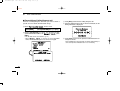
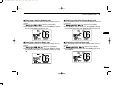
• If a signal is received on Channel 16, Dualwatch/Tri-watch
pauses on Channel 16 until the signal disappears.
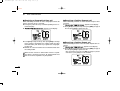
• If a signal is received on the call channel during Tri-watch,
Tri-watch becomes Dualwatch until the signal disappears.
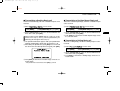
• To transmit on the selected channel during Dualwatch/Triwatch, push and hold [PTT].
34°34.506N
34
34.506N
123 23.236W
123°23.236W
UTC 12
12:00
:00 TELEPHONE
Tri-watch resumes after the
signal disappears.
25W
INT
DUP
TAG
TRI 16
34°34.506N
34
34.506N
123 23.236W
123°23.236W
UTC 12
12:00
:00 TELEPHONE
Signal is received on call
channel.
BUSY 25W
INT
DUP
TAG
TRI 16
34°34.506N
34
34.506N
123 23.236W
123°23.236W
UTC 12
12:00
:00
CALL
INTL
Signal received on Channel
16 takes priority.
BUSY 25W
INT
DUP
TAG
TRI 16
34°34.506N
34
34.506N
123 23.236W
123°23.236W
UTC 12
12:00
:00 TELEPHONE
13