1
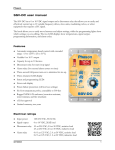
PEC Saver user manual
Phason
To restore your settings
1. Loosen the four screws in the PEC enclosure and then gently
remove the cover. Make sure not to disconnect the ribbon cable.
2. Insert the PEC Saver into the connector marked SAVER on the
inside top-left of the cover.
3. Press Program until (0Nf displays and then press Select.
The display shows 24, the first item in the Configuration menu.
4. Press Down until 35 displays and then press Select.
5. Press Up or Down to change the no to yes and then press Select.
The control reads the information from the PEC Saver. When
complete, the display shows done.
6. To return to the Configuration menu, press Back once. To return
to the Main menu, press Back twice. To return to the Main display,
press Back three times.
(0Nf
35
* no
7. Remove the PEC Saver.
8. Replace the cover and then tighten the four screws.
Phason Inc.
2 Terracon Place
Winnipeg, Manitoba, Canada
R2J 4G7
2
Phone:
Fax:
204-233-1400
204-233-3252
E-mail:
Web site:
support@phason.ca
www.phason.ca
2010-03-04