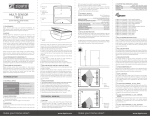
1
PARAMETER
No. 7
Size 1
NAME
Default 1
LED mode
TYPE
DESCRIPTION
MICROMODULE
MOTOR CONTROLLER
QUICK INSTALLATION GUIDE
v1.2
TYPE
VALUES
1
SUPPORTING COMMAND CLASSES
BASIC CLASS
GENERIC CLASS
SPECIFIC CLASS
SLAVE WITH ROUTING CAPABILITIES
MULTILEVEL SWITCH
MOTOR CONTROL CLASS C
CLASS: 0X27 COMMAND_CLASS_ALL_SWITCH
CLASS: 0X8E COMMAND_CLASS_MULTI_CHANNEL_ASSOCIATION
CLASS: 0X70 COMMAND_CLASS_CONFIGURATION
CLASS: 0X72 COMMAND_CLASS_MANUFACTURER_SPECIFIC
CLASS: 0X75 COMMAND_CLASS_PROTECTION
CLASS: 0X77 COMMAND_CLASS_NODE_NAMING_AND_LOCATION
CLASS: 0X86 COMMAND_CLASS_VERSION
CLASS: 0X25 COMMAND_CLASS_BINARY_SWITCH
CLASS: 0X20 COMMAND_CLASS_BASIC
CLASS: 0X26 COMMAND_CLASS_MULTILEVEL_SWITCH
CLASS: 0X87 COMMAND_CLASS_INDICATOR
CLASS: 0X85 COMMAND_CLASS_ASSOCIATION
CLASS: 0X2B COMMAND_CLASS_SCENE_ACTIVATION
CLASS: 0X2C COMMAND_CLASS_SCENE_ACTUATOR_
CONFIGURATION
3
Show opened state
4
Indicator Command Class
Default 0
DESCRIPTION
ONE PUSH BUTTON
One button is used (chose any), press while moving up and down,
stops, while stopped moves to opposite direction to previous.
No. 2
Size 2
Default 2
TYPE
Range
VALUES
0
One push button
1
Two paddles with Power and Direction
2
Two toggle switch
3
Two buttons with neutral position
we make every home smart
No
1
Yes
PARAMETER
NAME
No. 4
Size 1
Default 50
Invert open and close relays
DESCRIPTION
Allow exchanging open and close relays if blind control is wired to
the motor incorrectly
TYPE
Rangemapped
VALUES
VALUES
0
Keep in permanent motion
0
No
Seconds
1
Yes
PARAMETER
sec
NAME
NAME
No. 3
Size 1
Default 0
What to do on RF close command
DESCRIPTION
Rangemapped
VALUES
0
Disabled
TWO TOGGLE SWITCH
Switch to Up/Down moves up/down.
Rangemapped
Note that in Permanent motion mode the reported value would a be
Closed or Opened, while all Basic and Multilevel Set values (1-99,
255) would Open except 0 value that would Close.
1 - -1
TWO BUTTONS WITH NEUTRAL POSITION
Up click moves up if stopped and stops if moving down, Down click
moves down if stopped and stops if moving up, Hold Up/Down moves
in up/down, Release stops.
TYPE
Full open time
Range
Description Defines how to interpret RF Off command. Can be used
in conjunction with Auto Close function: Ignore - to open the door
by motion detectors and close it back after some amount of time: in
case of multiple motion detectors each would try to open that would
break logics; Open - to open on both On and Off paddle press on the
remote and close after some amount of time. Button close click
will still work (if button operations are not disabled). Note that Dim
Down command will still begin close motion.
TWO PADDLES WITH POWER AND DIRECTION
Hold Up button to move blinds up.
If Down button is pressed, blinds will move down.
Release Up button to stop.
Default 60
TYPE
DESCRIPTION
PARAMETER
Size 1
Size 1
DESCRIPTION
If not zero, automatically close blind after a user defined time
PARAMETER
Buttons mode
Default 0
TYPE
Time to go from closed to open state.
This value may differ from Full close time for some blinds due to
gravity. Used to estimate the current level.
Automatically close after
CONFIGURATION PARAMETERS
No. 1
No. 11
NAME
Allways on
NAME
Size 1
Invert open and close relays
VALUES
Show working state
PARAMETER
No. 14
Rangemapped
Seconds
PARAMETER
2
0
Keep in permanent motion
Disabled
1 - -1
NAME
0
1 - -1
NAME
Allow exchanging open and close relays if blind control is wired to
the motor incorrectly
VALUES
Rangemapped
PARAMETER
DESCRIPTION
Range
Set LED indication mode
0
level. Note that in Permanent motion mode the reported value would
a be Closed or Opened, while all Basic and Multilevel Set values (199, 255) would Open except 0 value that would Close.
TYPE
No. 12
Size 1
Default 0
Node Id of the blocking device
DESCRIPTION
Usefull with door opening detector: if the door is open, block the blind
not to break shades while they move.
Range
TYPE
TYPE
VALUES
Range
0
VALUES
0
Disabled
1-24
Node Id
1-100
No
in 10ms units
PARAMETER
PARAMETER
No. 13
Close
NAME
On which command from blocking
node to enable the protection
1
Ignore
2
Open
Size 1
No. 5
3
Open if closed, otherwise Close
Defines which command from blocking device to interpret as closed
door and hence, unprotected.
TYPE
Default 60
Full close time
DESCRIPTION
Time to go from opened to closed state. Used to estimate the current
www.zipato.com
Size 1
Default 50
Invert buttons
Default 0
DESCRIPTION
Size 1
Default 50
DESCRIPTION
NAME
No. 10
Size 1
Typical click timeout
Typical time used to differentiate click, hold, double and
triple clicks
0
NAME
No. 4
NAME
Id of the device which commands would be interpreted not as Open/
Close, but as block/unblock.
VALUES
PARAMETER
PARAMETER
Rangemapped
DESCRIPTION
Typical time used to differentiate click, hold, double and triple clicks
TYPE
Rangemapped
VALUES
0
No
1
Yes
VALUES
0
on On
PARAMETER
1
off Off
NAME
we make every home smart
No. 6
Size 1
Default 1
Invert buttons
www.zipato.com