1
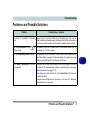
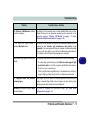
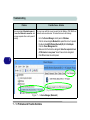
Troubleshooting Problem Possible Cause - Solution Other Keyboards If your keyboard is damaged or you just want to make a change, you can use any standard USB keyboard. The system will detect and enable it automatically. However special functions/hot keys unique to the system’s regular keyboard may not work. 7 The system freezes or the screen goes dark. The system’s power saving features have timed-out. Use the AC/DC adapter, press the sleep (Fn + F4) key combination, or press the power button if no LEDs are lit. The system never goes into a power saving mode. Power Options features are not enabled. Go to the Windows Power Options menu and enable the features you prefer (see “Power-Saving States” on page 3 - 7). Make sure you have enabled Hibernate mode from the control panel. The Wireless LAN/Bluetooth modules cannot be detected. The modules are off as the computer is in Airplane Mode. Check the LED indicator to see if it is in Airplane Mode (see “LED Indicators” on page 1 10). Use the Fn + F11 key combination to toggle Airplane Mode on/off (see Table 1 - 6, on page 1 - 16). The PC Camera module cannot be detected. The module is off. Press the Fn + F10 key combination in order to enable the module (see “Function Keys & Visual Indicators” on page 1 - 16). Run the camera application to view the camera picture. 7 - 10 Problems and Possible Solutions