1
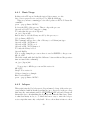
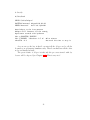
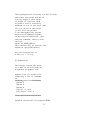
1) install the new kernel
# dpkg -i kernel-image-2.4.27-bootcd_1_i386.deb
2) reboot your computer with the new kernel
# reboot
3) run bootcdmkinitrd:
#bootcdmkinitrd
this command will recreate the initrd for the new kernel. In order to work
properly bootcdmkinitrd needs another useful program: discover, you can
simply install it via apt-get and then run it typing discover at the prompt
(see the man page of both bootcdmkinitrd and discover for details).
5.3
Bootcd scripts
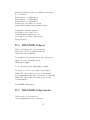
The main bootcd commands are:
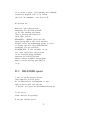
• botcdmkinitrd: it is a special mkinitrd command that configure properly the initrd of the running kernel to adapt it to the bootcd writing
tools (see section above).
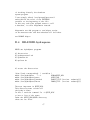
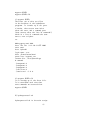
• bootcdwrite: performs the creation of the bootable cdrom from the
running system, you can fit it to your needs trought the configuration
file:
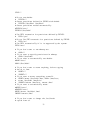
/etc/bootcd/bootcdwrite.conf.
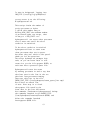
• bootcd2disk: this command will perform the installation of the live
system on the hard disk, you can adjust it via the file:
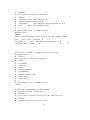
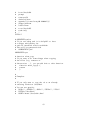
/usr/share/bootcd/bootcd2disk.conf
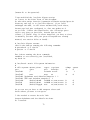
When you run bootcdwrite it writes down the entire (but you can also
decide to omit some directorys) system on a .iso image file. Once the image
is ready is to late to make any modification. You must plan the structure of
the system before proceding. If you are interested in using the bootcd2disk
command you must modify it’s config file before 1 doing anything else.
First of all we have built the kernel and rebooted the system into the new
kernel, then we have ran the bootcdmkinitrd script to tune the initrd to the
bootcd tools.
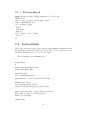
Our next step is to modify the configuration files of bootcdwrite and
bootcd2disk.
1
On the live cdrom there are some config files that you can still edit and save, but they
are obviously saved in ram and you will have to edit them each time
34