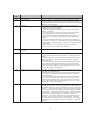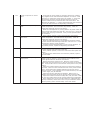
1
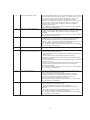
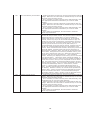
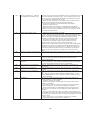
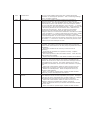
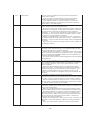
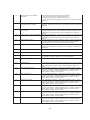
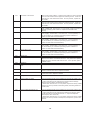
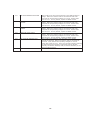
146
No reply from command to
electronic journal
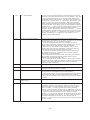
147
Error in reply from electronic
journal.
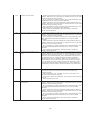
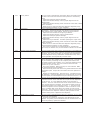
148
Write to electronic journal failed
149
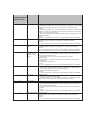
1. Inspect main board to electronic journal communication cable for
damage. Make sure the connectors are seated securely on the main
board and on the electronic journal.
2. If it is necessary to check continuity of the cable assembly, refer
to the appropriate ATM Service Manual for pin out of the cable
assembly.
3. Inspect electronic journal to dispenser communication cable for
damage. Make sure the connectors are seated securely on the main
board and on the electronic journal.
4. If it is necessary to check continuity of the cable assembly, refer
to the appropriate ATM Service Manual for pin out of the cable
assembly
5. If the cables are undamaged, the main board or electronic
journal may be defective.
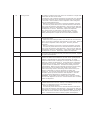
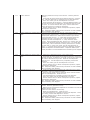
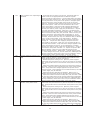
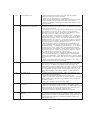
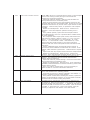
1. Inspect main board to electronic journal communication cable for
damage. Make sure the connectors are seated securely on the main
board and on the electronic journal. 2. If it is necessary to check
continuity of the cable assembly, refer to the appropriate ATM
Service Manual for pin out of the cable assembly. 3. Inspect
electronic journal to dispenser communication cable for damage.
Make sure the connectors are seated securely on the main board
and on the electronic journal. 4. If it is necessary to check
continuity of the cable assembly, refer to the appropriate ATM
Service Manual for pin out of the cable assembly. 5. If the cables
are undamaged, the main board or electronic journal may be
defective.
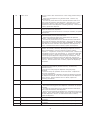
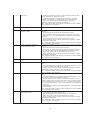
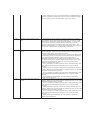
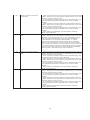
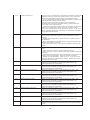
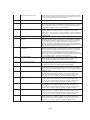
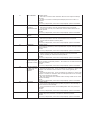
Most probable cause, the electronic journal is full. State by verify if
this is associated with error code 151. If so, work to resolve error
code 151.
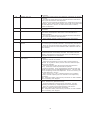
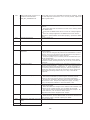
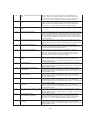
1. Inspect main board to electronic journal communication cable for
damage. Make sure the connectors are seated securely on the main
board and on the electronic journal.
2. If it is necessary to check continuity of the cable assembly, refer
to the appropriate ATM Service Manual for pin out of the cable
assembly.
3. Inspect electronic journal to dispenser communication cable for
damage. Make sure the connectors are seated securely on the main
board and on the electronic journal.
4. If it is necessary to check continuity of the cable assembly, refer
to the appropriate ATM Service Manual for pin out of the cable
assembly
5. If the cables are undamaged, the main board or electronic
journal may be defective.
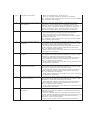
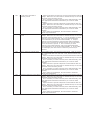
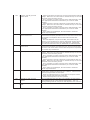
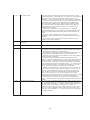
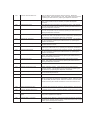
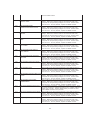
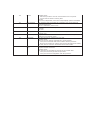
Read from electronic journal failed 1. Inspect main board to electronic journal communication cable for
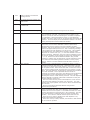
damage. Make sure the connectors are seated securely on the main
board and on the electronic journal.
2. If it is necessary to check continuity of the cable assembly, refer
to the appropriate ATM Service Manual for pin out of the cable
assembly.
3. Inspect electronic journal to dispenser communication cable for
damage. Make sure the connectors are seated securely on the main
board and on the electronic journal.
4. If it is necessary to check continuity of the cable assembly, refer
to the appropriate ATM Service Manual for pin out of the cable
assembly
5. If the cables are undamaged, the main board or electronic
journal may be defective.