1
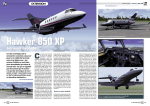
DOCUMENTATION: The Documentation is 7 PDF files that contains around 100 pages total, some are manual´s and some performance data, taken directly as scanned copy´s, and a bit extra. But the documentation in some areas is a bit limited about how things are working, and why it might not be quite straight forward if you haven’t been flying such a jet before, even for a experienced user it, could be difficult to learn it without a few test flights. How ever the most important document to read is the Proline 21 User Manual as it explains the basic of how the FMS and displays are work working in combination to the autopilot as well. Some of the con tent could be a bit better explained by li mitations and how displays fully works in combination. The Proline 21 User Manual document gives you an example of a route and how to insert it to the FMS so if you’re new to that part they show you how easy it is. I always say easier than the default GPS in use, when you learn it, as you have a key pad instead of most GPS that provide ro tation buttons to navigate through the menus and letters, I know Garmin today provide touch GPS that makes that part easier. But that´s a side story. Navigraph support. As you can find GPS1 as nav source of the PFD, can´t say if the real plane have that option aswell since I have never had a chance to get in to a real Hawker 850XP. FMS / FLIGHT PLANNING: A missing link in my personal opinion is that there is no way the end user can im port company routes, whenever it´s a route that´s flown often and saved from inside the simulator or by external sour ce. Because there is no documentation that indicate such a feature is there. But I guess some would like to use external programs to build a flight plan and import it to the FMS. But we have to be fair and take one step at a time, remember that Rome was not built in a year. They implemented other things like Navigraph support and that alone was a good step and also was quite time demanding, but there is al ways place for improvement. The picture below has highlighted but tons that is not operational at the given page shown just to illustrate some of the links in the FMS is not fully completed. DEFAULT FLIGHTPLAN: If you for some reason are still thinking about, if the plane might work by using default flight plans imported to the flight simulator, I would say there is no note about it in the manual. I have tryeid it for you and the answer is both Yes and No because the plane seems to read the flight plan if there is no active flight plan entered to the FMS. There is then the li mitation to it, and it´s that the displays would not show you the route! and then the interest might get low, but might in dicate that it was not intented from the start to implement a FMS that is based on 3