1
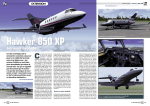
Intruduction: Carenado Highlights: The Hawker 850XP was mainly built By Hawker Beechcraft that bought the rights to manufacture the Hawker planes in March 2007. It was around 1 year after the Hawker 850XP was certified for ope ration. But sadly is no longer in produc tion, as it was ended by 2013 as the Hawker Beechcraft closed the production after the company had tried to sell the rights but it had failed. This is the first aircraft that rolls out of the hangar from carenado, which has ful ly Updatable Navigraph database, out of the box. As Carenado slowly introduced universal FMS, I mean it was by the re lease of the B1900D, that Carenado for the first time introduced a basic FMS that still used the flight simulator’s own navi gation database. But then it´s good that we got a brand new aircraft by Carenado, of the Hawker 850XP then it can continue in the virtual sky as well. The 850XP model should be close to the 800 by some changes in avio nic and interior but the biggest difference was that they mounted the winglets by default and that alone increased the ran ge by 100NM for the 850XP. GENERAL CHARACTERISTICS: Crew: Capacity: Length: Wingspan: Height: Empty weight: Max. weight: Powerplant: 2 pilots 813 passengers 51 ft (15.6 m) 54 ft (16.55 m)* 17 ft (5.31 m)* 15,670 lb (7,108 kg) 28,000 lb (12,701 kg) 2 × Honeywell TFE7315BR turbofan, 4660lb each. PERFORMANCE: Never exceed speed: Maximum speed: Cruise speed: Stall speed: Range: Service ceiling(max): Rate of climb: Mach 0.80 448 kts 830 km/h 402 kts 745 km/h 170 km/h () 2,642 nm 41,000 ft 1948.8 ft/min Source: http://en.wikipedia.org/wiki/Hawker_800. * means edit from source website. 2 We previously saw a release of an ex tension pack for the S550 citation II a few months after the S550 was released. But for the first time it´s a complete im plementation of the Navigraph support by the aircraft. Over the years the demand has increa sed for getting the option to get update able Navigation databases, to get some more accurate data, which many buy for some of their other aircrafts. To complete the story it seems like Carenado has mo ved from general aviation planes only, to more commercial/business jet´s to try to go in to another world, where the real planes have FMS to reach another range of costumers and slowly make the chan ges by some of the releases. But the story does not stop there as it´s not only the Navigation database that has changed, but also the implementation of more autopilot custom made functions in order to achieve the option to go away from default flight simulator autopilot, as some would have noticed, in their pre viously released planes we could use Hardware Autopilots right out of the box, but since they implement more stuff like Vnav and flight level changes, and so on they move over to more complex systems out of the default world of FSX/P3D co ding. When we have that in mind it would be nice to where it bring them over time, as it seems like they slowly build somet hing solid, or maybe a test of how far it can bring them. DOCUMENTATION: The Documentation is 7 PDF files that contains around 100 pages total, some are manual´s and some performance data, taken directly as scanned copy´s, and a bit extra. But the documentation in some areas is a bit limited about how things are working, and why it might not be quite straight forward if you haven’t been flying such a jet before, even for a experienced user it, could be difficult to learn it without a few test flights. How ever the most important document to read is the Proline 21 User Manual as it explains the basic of how the FMS and displays are work working in combination to the autopilot as well. Some of the con tent could be a bit better explained by li mitations and how displays fully works in combination. The Proline 21 User Manual document gives you an example of a route and how to insert it to the FMS so if you’re new to that part they show you how easy it is. I always say easier than the default GPS in use, when you learn it, as you have a key pad instead of most GPS that provide ro tation buttons to navigate through the menus and letters, I know Garmin today provide touch GPS that makes that part easier. But that´s a side story. Navigraph support. As you can find GPS1 as nav source of the PFD, can´t say if the real plane have that option aswell since I have never had a chance to get in to a real Hawker 850XP. FMS / FLIGHT PLANNING: A missing link in my personal opinion is that there is no way the end user can im port company routes, whenever it´s a route that´s flown often and saved from inside the simulator or by external sour ce. Because there is no documentation that indicate such a feature is there. But I guess some would like to use external programs to build a flight plan and import it to the FMS. But we have to be fair and take one step at a time, remember that Rome was not built in a year. They implemented other things like Navigraph support and that alone was a good step and also was quite time demanding, but there is al ways place for improvement. The picture below has highlighted but tons that is not operational at the given page shown just to illustrate some of the links in the FMS is not fully completed. DEFAULT FLIGHTPLAN: If you for some reason are still thinking about, if the plane might work by using default flight plans imported to the flight simulator, I would say there is no note about it in the manual. I have tryeid it for you and the answer is both Yes and No because the plane seems to read the flight plan if there is no active flight plan entered to the FMS. There is then the li mitation to it, and it´s that the displays would not show you the route! and then the interest might get low, but might in dicate that it was not intented from the start to implement a FMS that is based on 3 top of decent, as it does not have a so called specific VNAV page in the FMS. But how does that then work? You might ask yourself. Well after you have entered the flight plan to the FMS, it got the alti tude limitations and such from sids and stars, where they are provided in the Nav data, the rest of your route is set by de fault to FL280 or 28000FT and have to be The reason I have highlighted the EXEC manually edited, there is sadly no short button, is that we normally have to con cuts there to set the max altitude, and let firm when we are done and want the gi the FMS calculated the rest of the altitu ven input in to the active flight plan, as des. That might make it less user friend right now it´s moved to the Legs page ly, as you really have to know what alti immediately, but is a small thing that tude the plane can reach before you doesn’t makes a huge difference. should decent again, and by how many So far I found 2 things I would mention feet you should climb or decent for each by the FMS, first thing is that at some air waypoint, Because a wrong number can be too steep and the plane would either ports that does not have SID, you can´t select departure runway like you normal stall or over speed. ly would do. The second thing is that There are other problems it might cause sometimes when I load a star, I get 2 or as well, because depending on how long more waypoints By the same name, so or short the route is and how far there take close attention as sometimes it´s are between waypoints. The plane might the same other times it´s different loca tions but by the same name, so don’t just not get to the best altitude for that flight if the way points are too far from each say remove as they might be different lo other, could also be that during decent it cations, but then we are back to Navi start a 500 ft decent as the plane only graph, and not the plane. knows that it passed point A at FL280 and Note if you have a short route by only 1 by point B it should be at FL260 30NM Waypoint and then a star you would noti away as the FMS tell it to so the plane ce that the LEGS page does not show that would try catch that even you might want to keep FL280 a bit longer and make a 1 waypoint before the star, in that case select page 2 of the FPLN page and type it steeper decent, that would be more rea as you normally would do or type it direc listic. tly by the LEGS page insted. Only that way it would be loaded (a very small limi AUTOPILOT FLC AND VNAV: tation). The autopilot is like any other autopilot but since the aircraft has some more ad FMS VNAV: vanced modes that is not found in default aircrafts, I would now go thru those mo VNAV has limited functionality as its des and talk a bit about some problems stated by the store page, it can Set diffe rent altitudes for different waypoints, and that I got in to, when I tested it. that’s basically what it does. So don’t To complete the VNAV we start of there expect VNAV like seen in a Boeing that as when I for the first time push the has calculation of both top of Climb and It´s important to say it´s not because the pages does not exist in the FMS as they do, but you would expect by pres sing those buttons beside the text at the given page shown, also would move you to that page it indicate, but does not always do. 4 VNAV button the autopilot turn off. and woundered, because for an unknown rea son Carenado made the VNAV button turn on the autopilot at the same time, so as I already turned on the autopilot like you normally do, it switched off the autopilot again. It was not the way I was expecting the autopilot to do. FLC or better known as Flight Level Change, it might be handy but seems a bit weak (specialy when weather is tur ned on). Because I have tried to set it quite some times by now, and it had a hard time maintaining the speed you set. (very slow pitch/VS changes) It´s not because the speed bug goes to 000 like it does when VNAV is in use. AUTOPILOT TURN HALF BANK: A nice touch by Carenado that many ot her just don´t make is the half bank op tion, it´s nice to see it has been imple mented and is working and not only a INOP button. It actually limit the bank when turned on, guess the passengers would enjoy that when they get a meal. INCLUDED LIVERIES: This aircraft has 6 painted liveries and a completely white one, all in Fully HD tex tures like they always do by the latest planes. take a look at the nice paint job. 5 Exterior High lights: A nice detail, is the red beacons as they split the beacon and let it light up the half part of the beacon and gave it a effect like it should look like rotating I guess Nice detail of the wings and thrust reversers in action, the lower speed brakes can´t be seen for the flaps, but is on this plane, a bit special 6 Nice Shine effect by the Airframe, plus the pulse lights. it looks so nice (blink by those lights at the wings and those in front of pilots) Soon we only waiting for the passengers after we remove the removebefore flight items 7 Carenado realy knows how to get those planes shinny, and look real like a real plane from inside out. Sadly I can´t realy show there latest effect by the wings of the exterior as they have implented the Flexing wing effect you might not notice 8 it much, but it would be good for such small plane if the move like a heavyer plane. A hint is to try adjust the camera from the captain seat and taxi then you might notice it moves a bit, that might be easyer to spot than in the air. Interior: Carenado implemented that some but tons has different brightness adjustments for some of the rotting buttons, so it would require a lot of pictures to show all the adjustments a really nice touch, that the user now is able to adjust some of the interior lights to what you like. But note not all the buttons have that option. As a side note to the left in the picture above you find the APU panel, so if you wounder where it is that´s the spot. Note the plane stil has no Autothrottle, if you did not read the first part, as it was not standard but an upgrade option, just like when you buy a new car. 9 A few tip´s: To use of the rotation button under the NAV/BRG is to move the mouse around that button as I see a pro blem by the click spots of this button and found some that claim it does not work to select all the functions of the PFD and MFD, but I can say all can be selected but I really had to move the mouse all around the button or right at the top of it to wor k. and as final note use the NAV/BRG but ton when you want to select as the option on the PFD seems to be harder to get switch, it also sometimes give you the te xt GPS1 if you use the PFD button. that´s why I advise you to use the other way and it gives you more options as well. But dokumentation seems a bit limited in this part. so it ends in confusion as I can see it was build for the original gps only I guess and then they decided to go the ot her way they did. even it shows gps it fol low FMS but distance and FMS text is not shown, and why it´s best to select FMS. Carenado just cover every corner, I ha vent found any problems/missing texture spots or any bad areas. But it´s also what Carenado are best known for High Quality interior texturing. 10 Navigraph database: Well I have mentioned it a bit before, but here I highlighted the issue as what should I select? can´t see a difference by the name so what is the difference, compared to the airport chart. This is not the plane by Carenado it´s the data the plane get´s from the Navigraph database, as I have checked the case before I mention it.. CABIN: I have seen some that mean the cabin is not up to the normal Carenado stan dard, and well it could be right but I still dosen´t se a problem, it still looks nice and I personaly like it that way, as it´s not that bad but a good compromise by proformance as the aircraft has better FPS than some of there other releases. The only thing that irritates me a bit is the cabin spots are locked so you can´t move around to a spot you like. Conclusion: Well even I had some headache trying to get everything working right out of the box, even I am a quite experienced sim mer, I think they are moving slowly in the right direction, by every release and ex panding the depth of the aircrafts. But the weak sides are the manual that seems a bit limited and you have to explorer a bit, by yourself to get the best out of every situation. Also the Flight level Change was a problem, either it´s slow in the real thing or I did something wrong but the manual does not say much about how to use it correctly, but I have used FLC in other planes by perfection. the rotation button mentioned under NAV/BRG would be nice if fixed. It would be nice to see full VNAV in the next plane, if they select to go that way again, to get over manual calculation. But it´s not all negative even it might seem so. They really have given this plane a good wind drag effect, and the engines you have to be ahead of as small adjust ments can make huge speed changes if the pilot is not careful. It´s a bit getting use to that response time. At the ground you find those engines need quite some thrust to move the plane. I realy like the FPS by this plane I ha vent got any problems by it, so far fluid and thats realy nice and what we all have been so excited about to find out. But as always the visual is stunning as always. A big thanks to Carenado for sponsoring this review, by sending a copy. aswell as to Lars, 29Palms Scenery Design, to show Twentynine Palms Airport by a copy. 11 This magazin was created by free tools: Gimp Image Editor 2.8 Inkscape vector Graphisc 0.91 Scribus Version 1.4.5 Credits: Magazine Designer Lars N Carenado: www.carenado.com 29Palms Scenery Design: www.29palms.de Copyright: All materials in this document is copyrighted the owners, and may not be used anywhere else without per mission. Further is it strictly prohibited to use any material from this document, or sell any content of it. The use of this document is at the end users own risk. SEE YOU IN THE AIR: