1
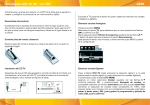
Up and down rotation: first , loosen the nut, adjust up and down to the appropriate angle(the maximum is 180 ),
and then tighten the nut
Left and right rotation: when adjust left and right angle, you
can rotate the angle of the device directly(the maximum
angle is 200)
Optional accessories mounting and removing
CPL installation and removing
Put the CPL to the Lens and move clockwise to install
Turn CPL anti clockwise to remove
GPS module installation and removing
Insert the GPS module to the port
Pull the GPS module from the port
Transmit the video to LCD TV
You can also transmit the video from the drive recorder to your LCDTV at home to playback the data or adjust the
setting.
The steps areas follows:
1. Your video equipment should have AV IN or HDMI ports.
2. Connect AV cable or HDMI cable (optional purchase) to the video equipment and the drive recorder.
3. Connect the home use transformer (optional purchase) to the drive recorder and the house power socket.
4. Adjust the channel of the video equipment to AV or HDMI.
5. Installation completed.