1
Operation
WARNING: Risk of Electrocution. Before use, always test the Detector on
a known live circuit to verify proper operation
NOTE on RF Interference: In the voltage mode, RF signals in close
proximity to the detector may cause the voltage light and beeper to latch
into a constant tone and light indication. Wait until the RF signal has
disappeared before proceeding with voltage detection.
VOLTAGE DETECTION
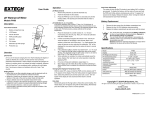
1. Slide the Function switch to the Voltage position.
2. The “VOLTAGE” LED will light. If the LED is dim or does not light, replace the batteries.
3. Set the Sensitivity adjustment to max.
4. If the detector begins to beep/flash, slowly turn the
sensitivity down until the beep/flash stops.
5. Touch the detector voltage sensor to the hot conductor
or insert into the hot side of the electrical outlet.
6. If AC voltage is present, the detector light will flash and the audible beeper will sound.
7. Adjust the sensitivity as needed to zero-in and identify the live conductor.
CURRENT DETECTION
NOTE: There must be a load on the circuit (current flow) for the current
detection function to work.
1. Slide the Function switch to the Current position.
2. The “CURRENT” LED will light. If the LED is dim or does not light, replace the batteries.
3. Set the Sensitivity adjustment to the max position
4. If detector begins to beep/flash, slowly turn the
sensitivity down until the beep/flash stops.
5. Move the detector current sensor near the current
carrying conductor until the current tip flashes and beeper sounds.
6. Slowly reduce the sensitivity and reduce the distance between the sensor and
conductor to zero-in and identify the conductor.
_
BATTERY REPLACEMENT
1. Turn power OFF
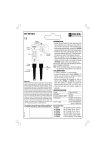
2. Slide the pocket clip off (as shown) to
access batteries.
3. Replace the four LR44 batteries. The
negative sides of the batteries face in
the same direction, as shown. The
positive sides of the batteries face in
the opposite direction.
+
3
DVA30-EU V2.1 03/09