1
4
4.2
1.
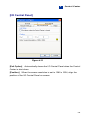
Control Center
Installing Control Center
Insert the CMS Software CD to your computer. It will automatically run
and a window appears.
2.
Select the Install V 8.0.0.0 Central Monitoring System item.
3.
Click Control Center System, and follow the on-screen instructions.
Note:
The Control Center application is provided with a USB dongle.
Make sure the dongle is tightly attached to your computer.
99