1
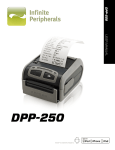
Connecting Device The DPP-250 is designed to use different methods of communications. Care must be taken to ensure that the DPP-250 USB or Serial connector and PDA & Smartphone connector are not accidentally damaged. The figures below show how to attach the different device to the DPP-250. Serial / USB ( Cabled ) Version: • Connect the DPP-250 using Mini USB or Serial cable is shown in the figure below. USB Port Serial Port Figure 11 BLUETOOTH® ( Wireless ) Version: • The DPP-250 Bluetooth® version uses Bluetooth® wireless technology to connect to Bluetooth® enable devices. See page 18 for details on Bluetooth® setup. Figure 12 Infinite Peripherals, Inc. www.ipcprint.com DPP-250 User Manual v1.05 . . . . . . . . . . . . .Page . . .21. . . . .