1
Chapter 4: Performing a run
BioCel User Guide
For more information about...
See...
Stopping a run
“Pausing and stopping a run” on
page 60
Monitoring the status of a run
About this topic
After starting a run, the operation of the BioCel should be monitored.
This topic describes how to monitor the status of a run and points to
other topics that describe how to monitor specific aspects of a run.
What to monitor
After starting a run, monitor the operation of the BioCel. Exactly what
you do to monitor a run depends on the protocol that you are using. For
example, you might need to:
❑ Compare the motions of the robot to the protocol tasks being
completed.
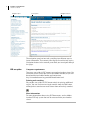
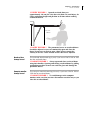
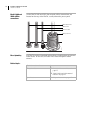
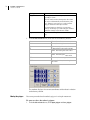
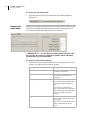
You can identify the task that is currently being performed from the
position of the green ball in the process panes. Because VWorks can
schedule more than one task at a time, there might be more than
one green ball displayed.
❑
❑
❑
❑
❑
Add and remove labware.
Empty the waste bin.
Empty liquid waste containers.
Fill liquid reservoirs.
Replace an empty roll of PlateLoc seal or bar code labels.
!! IMPORTANT !! No errors are reported when a liquid waste
container becomes full or a liquid reservoir becomes empty unless
they are on a Weigh Pad, VPrep WeighShelf, or some third-party
devices. To guard against the problem of a full waste container or
empty reservoir container, the protocol writer can incorporate User
Message tasks into the protocol to remind the operator at the
appropriate steps in the protocol. Alternatively, operators can set
their own timer alarms to remind them to fill reservoirs and empty
a waste containers at the appropriate time.
System monitoring
What information is monitored by the BioCel during a run depends on
the options selected for the protocol. For more information, see the
VWorks User Guide.
63